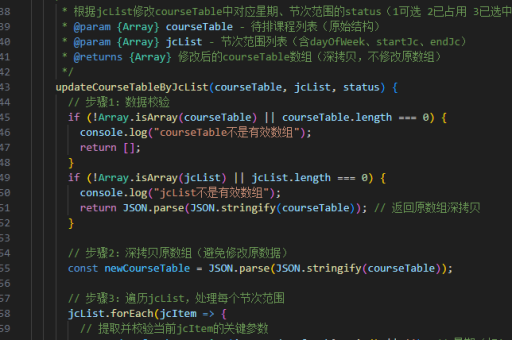
用vue实现的
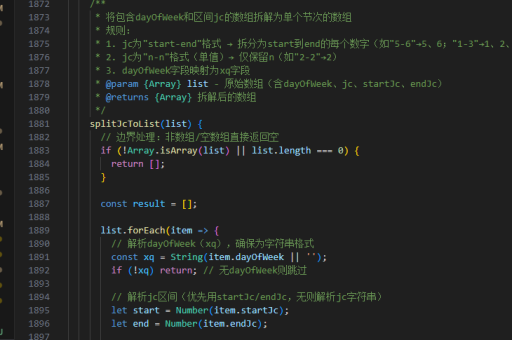

以下是用 Vue 实现常见功能的代码示例和最佳实践:
基础组件结构
<template>
  <div>
    <h1>{{ title }}</h1>
    <button @click="handleClick">Click me</button>
  </div>
</template>

<script>
export default {
  data() {
    return {
      title: 'Vue Component'
    }
  },
  methods: {
    handleClick() {
      this.title = 'Button Clicked!'
    }
  }
}
</script>

<style scoped>
h1 {
  color: #42b983;
}
</style>
状态管理(Vuex)
// store.js
import Vue from 'vue'
import Vuex from 'vuex'

Vue.use(Vuex)

export default new Vuex.Store({
  state: {
    count: 0
  },
  mutations: {
    increment(state) {
      state.count++
    }
  },
  actions: {
    incrementAsync({ commit }) {
      setTimeout(() => {
        commit('increment')
      }, 1000)
    }
  }
})
组合式API(Vue 3)
<template>
  <div>
    <p>{{ count }}</p>
    <button @click="increment">+1</button>
  </div>
</template>

<script setup>
import { ref } from 'vue'

const count = ref(0)

function increment() {
  count.value++
}
</script>
路由配置(Vue Router)
import Vue from 'vue'
import Router from 'vue-router'
import Home from './views/Home.vue'

Vue.use(Router)

export default new Router({
  routes: [
    {
      path: '/',
      name: 'home',
      component: Home
    },
    {
      path: '/about',
      name: 'about',
      component: () => import('./views/About.vue')
    }
  ]
})
表单处理
<template>
  <form @submit.prevent="handleSubmit">
    <input v-model="formData.name" placeholder="Name">
    <input v-model="formData.email" placeholder="Email">
    <button type="submit">Submit</button>
  </form>
</template>

<script>
export default {
  data() {
    return {
      formData: {
        name: '',
        email: ''
      }
    }
  },
  methods: {
    handleSubmit() {
      console.log('Form submitted:', this.formData)
    }
  }
}
</script>
API请求(Axios)
import axios from 'axios'

export default {
  methods: {
    async fetchData() {
      try {
        const response = await axios.get('https://api.example.com/data')
        this.data = response.data
      } catch (error) {
        console.error('Error fetching data:', error)
      }
    }
  }
}
自定义指令
Vue.directive('focus', {
  inserted(el) {
    el.focus()
  }
})
生命周期钩子
export default {
  created() {
    console.log('Component created')
  },
  mounted() {
    console.log('Component mounted to DOM')
  },
  updated() {
    console.log('Component updated')
  },
  destroyed() {
    console.log('Component destroyed')
  }
}
这些示例涵盖了Vue开发中最常用的功能和技术点,可以根据具体需求进行调整和扩展。