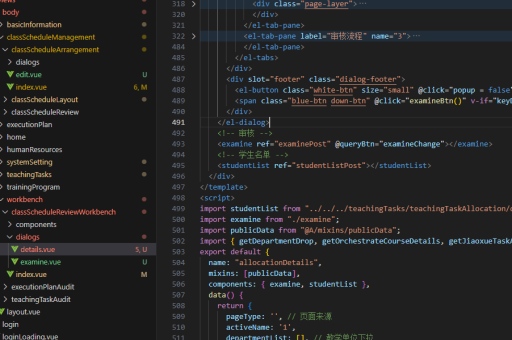
实现弹窗的js
使用原生JavaScript创建弹窗
创建一个基本的弹窗可以通过动态生成DOM元素并控制其显示和隐藏。以下是一个简单的实现示例:
// 创建弹窗元素
const modal = document.createElement('div');
modal.id = 'customModal';
modal.style.display = 'none';
modal.style.position = 'fixed';
modal.style.zIndex = '1';
modal.style.left = '0';
modal.style.top = '0';
modal.style.width = '100%';
modal.style.height = '100%';
modal.style.overflow = 'auto';
modal.style.backgroundColor = 'rgba(0,0,0,0.4)';

// 创建弹窗内容
const modalContent = document.createElement('div');
modalContent.style.backgroundColor = '#fefefe';
modalContent.style.margin = '15% auto';
modalContent.style.padding = '20px';
modalContent.style.border = '1px solid #888';
modalContent.style.width = '80%';

// 创建关闭按钮
const closeBtn = document.createElement('span');
closeBtn.innerHTML = '×';
closeBtn.style.color = '#aaa';
closeBtn.style.float = 'right';
closeBtn.style.fontSize = '28px';
closeBtn.style.fontWeight = 'bold';
closeBtn.style.cursor = 'pointer';

// 组装弹窗
modalContent.appendChild(closeBtn);
modal.appendChild(modalContent);
document.body.appendChild(modal);

// 添加事件监听
closeBtn.addEventListener('click', function() {
    modal.style.display = 'none';
});

// 显示弹窗的函数
function showModal() {
    modal.style.display = 'block';
}
使用HTML和CSS预定义弹窗
更常见的做法是在HTML中预定义弹窗结构,然后通过JavaScript控制其显示:
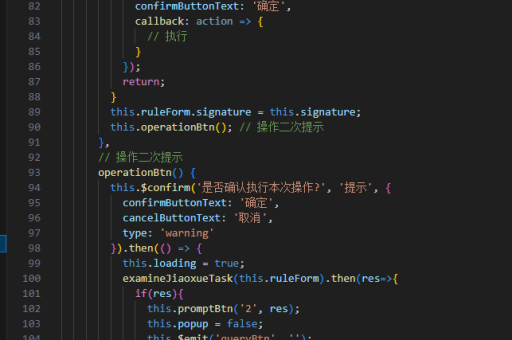
<!-- HTML部分 -->
<div id="myModal" class="modal">
<div class="modal-content">
<span class="close">×</span>
<p>这里是弹窗内容...</p>
</div>
</div>
<!-- CSS部分 -->
<style>
.modal {
display: none;
position: fixed;
z-index: 1;
left: 0;
top: 0;
width: 100%;
height: 100%;
overflow: auto;
background-color: rgba(0,0,0,0.4);
}
.modal-content {
background-color: #fefefe;
margin: 15% auto;
padding: 20px;
border: 1px solid #888;
width: 80%;
}
.close {
color: #aaa;
float: right;
font-size: 28px;
font-weight: bold;
cursor: pointer;
}
</style>
<!-- JavaScript部分 -->
<script>
const modal = document.getElementById('myModal');
const span = document.getElementsByClassName('close')[0];
// 点击关闭按钮隐藏弹窗
span.onclick = function() {
modal.style.display = 'none';
}
// 点击弹窗外部区域关闭
window.onclick = function(event) {
if (event.target == modal) {
modal.style.display = 'none';
}
}
// 显示弹窗的函数
function showModal() {
modal.style.display = 'block';
}
</script>使用第三方库实现弹窗
对于更复杂的需求,可以考虑使用现成的JavaScript库:
-
SweetAlert2 - 提供美观的弹窗效果

// 引入SweetAlert2库后 Swal.fire({ title: '提示', text: '这是一个漂亮的弹窗', icon: 'success', confirmButtonText: '确定' }); -
Bootstrap Modal - 使用Bootstrap框架的弹窗组件
// 需要引入Bootstrap
$('#myModal').modal('show');  // 显示
$('#myModal').modal('hide');  // 隐藏
弹窗最佳实践
确保弹窗具有良好的用户体验:提供明显的关闭方式,避免在移动设备上全屏显示导致可用性问题,考虑无障碍访问(ARIA属性),避免过度使用弹窗干扰用户操作。
// 添加键盘事件监听
document.addEventListener('keydown', function(event) {
    if (event.key === 'Escape' && modal.style.display === 'block') {
        modal.style.display = 'none';
    }
});

// 添加ARIA属性提升可访问性
modal.setAttribute('role', 'dialog');
modal.setAttribute('aria-modal', 'true');