js实现连打
JavaScript 实现连打功能
连打功能通常指连续快速触发某个动作(如点击、按键),在游戏中常见。以下是实现连打的几种方法:
使用 setInterval 定时触发
通过 setInterval 设置固定间隔触发动作:
let rapidFireInterval;

function startRapidFire() {
  rapidFireInterval = setInterval(() => {
    console.log('Action triggered');
    // 执行连打动作
  }, 100); // 每100毫秒触发一次
}

function stopRapidFire() {
  clearInterval(rapidFireInterval);
}

// 绑定到按钮事件
document.getElementById('btn').addEventListener('mousedown', startRapidFire);
document.getElementById('btn').addEventListener('mouseup', stopRapidFire);
使用 requestAnimationFrame 实现
适合需要与屏幕刷新率同步的场景:

let isRapidFiring = false;

function rapidFire(timestamp) {
  if (!isRapidFiring) return;

  console.log('Action triggered');
  // 执行动作

  requestAnimationFrame(rapidFire);
}

document.getElementById('btn').addEventListener('mousedown', () => {
  isRapidFiring = true;
  rapidFire();
});

document.getElementById('btn').addEventListener('mouseup', () => {
  isRapidFiring = false;
});
按键连发实现
监听键盘事件实现按键连发:
let keyRepeatTimer;
const KEY_DELAY = 500; // 首次延迟
const KEY_INTERVAL = 100; // 连发间隔

document.addEventListener('keydown', (e) => {
  if (e.key === 'Space' && !keyRepeatTimer) {
    keyRepeatTimer = setTimeout(() => {
      keyRepeatTimer = setInterval(() => {
        console.log('Space key repeating');
        // 执行动作
      }, KEY_INTERVAL);
    }, KEY_DELAY);
  }
});

document.addEventListener('keyup', (e) => {
  if (e.key === 'Space') {
    clearTimeout(keyRepeatTimer);
    clearInterval(keyRepeatTimer);
    keyRepeatTimer = null;
  }
});
性能优化版本
添加节流控制防止过度触发:
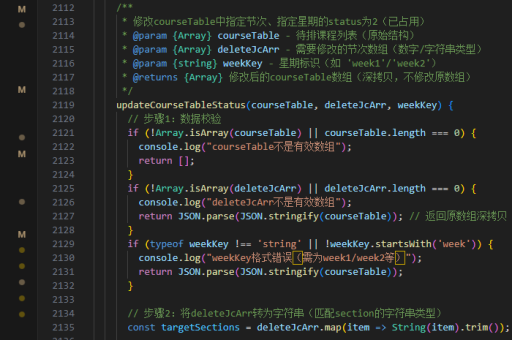
let lastFireTime = 0;
const FIRE_RATE_LIMIT = 50; // 最小间隔毫秒数

function throttledFire() {
  const now = Date.now();
  if (now - lastFireTime >= FIRE_RATE_LIMIT) {
    console.log('Action fired');
    // 执行动作
    lastFireTime = now;
  }
}

// 使用示例
document.getElementById('btn').addEventListener('click', () => {
  throttledFire();
});
游戏中的连发实现
典型游戏射击连发逻辑:
class Weapon {
  constructor() {
    this.isFiring = false;
    this.fireRate = 10; // 发/秒
    this.fireInterval = 1000 / this.fireRate;
    this.fireTimer = null;
  }

  startFiring() {
    if (this.isFiring) return;
    this.isFiring = true;
    this.fire();
  }

  fire() {
    if (!this.isFiring) return;

    console.log('Weapon fired');
    // 发射逻辑

    this.fireTimer = setTimeout(() => {
      this.fire();
    }, this.fireInterval);
  }

  stopFiring() {
    this.isFiring = false;
    clearTimeout(this.fireTimer);
  }
}
实现连打功能时需注意:
- 清除定时器防止内存泄漏
- 移动端需考虑 touch 事件
- 根据需求调整触发频率
- 避免阻塞主线程
以上方法可根据具体场景组合使用,游戏开发通常建议使用 requestAnimationFrame 实现更平滑的效果。