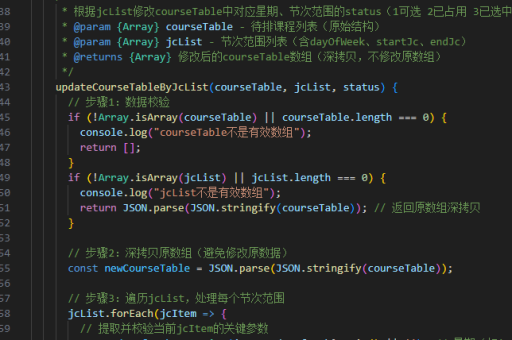
vue弹出框实现
Vue 弹出框实现方法
使用组件实现基础弹出框
创建一个独立的弹出框组件,利用v-if或v-show控制显示状态。组件模板可包含遮罩层、内容区和关闭按钮。
<template>
  <div class="modal-mask" v-show="show" @click.self="close">
    <div class="modal-container">
      <slot></slot>
      <button @click="close">关闭</button>
    </div>
  </div>
</template>

<script>
export default {
  props: ['show'],
  methods: {
    close() {
      this.$emit('update:show', false)
    }
  }
}
</script>
通过事件触发显示
父组件中引入弹出框组件,通过数据绑定控制显示状态。使用.sync修饰符实现双向绑定简化代码。
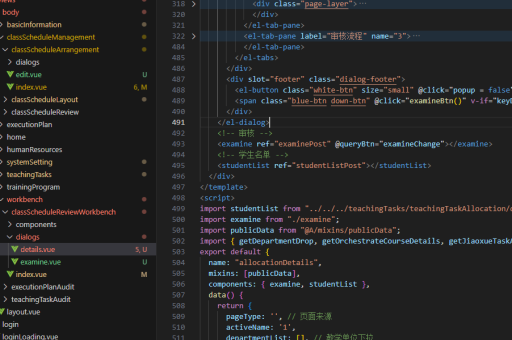
<template>
  <button @click="showModal = true">打开弹窗</button>
  <modal-dialog :show.sync="showModal">
    <h3>弹窗标题</h3>
    <p>弹窗内容...</p>
  </modal-dialog>
</template>

<script>
import ModalDialog from './ModalDialog.vue'
export default {
  components: { ModalDialog },
  data() {
    return { showModal: false }
  }
}
</script>
使用第三方UI库
主流UI库如Element UI、Ant Design Vue等提供现成的弹窗组件。以Element UI为例:
<template>
  <el-button @click="dialogVisible = true">打开弹窗</el-button>
  <el-dialog title="提示" :visible.sync="dialogVisible">
    <span>这是一段内容</span>
    <template #footer>
      <el-button @click="dialogVisible = false">取消</el-button>
      <el-button type="primary" @click="dialogVisible = false">确定</el-button>
    </template>
  </el-dialog>
</template>

<script>
export default {
  data() {
    return { dialogVisible: false }
  }
}
</script>
实现动画效果
为弹出框添加过渡动画,增强用户体验。使用Vue的<transition>组件配合CSS过渡效果。

<template>
  <transition name="modal">
    <div class="modal-mask" v-show="show">
      <!-- 弹窗内容 -->
    </div>
  </transition>
</template>

<style>
.modal-enter-active, .modal-leave-active {
  transition: opacity .3s;
}
.modal-enter, .modal-leave-to {
  opacity: 0;
}
</style>
全局弹窗服务
创建可在任意组件调用的全局弹窗服务。通过Vue实例属性挂载方法。
// dialogService.js
import Vue from 'vue'
const DialogBus = new Vue()
export default {
  show(options) {
    DialogBus.$emit('show-dialog', options)
  }
}
在根组件监听事件并渲染弹窗:
<template>
  <div>
    <router-view/>
    <global-dialog v-if="showDialog" :options="dialogOptions" @close="showDialog = false"/>
  </div>
</template>

<script>
export default {
  data() {
    return {
      showDialog: false,
      dialogOptions: {}
    }
  },
  created() {
    this.$dialogService = dialogService
    DialogBus.$on('show-dialog', options => {
      this.dialogOptions = options
      this.showDialog = true
    })
  }
}
</script>