vue实现随机点名
实现随机点名的基本思路
在Vue中实现随机点名功能,可以通过以下步骤完成。主要涉及数据绑定、随机数生成和简单的动画效果。
数据准备
准备一个包含所有姓名的数组,并存储在Vue的data属性中。例如:
data() {
  return {
    names: ['张三', '李四', '王五', '赵六', '钱七'],
    currentName: '',
    isRolling: false
  }
}
随机选择逻辑
使用JavaScript的Math.random()方法生成随机索引,从数组中选取一个名字。为了避免重复选择,可以添加逻辑控制。
methods: {
  rollName() {
    if (this.isRolling) return;
    this.isRolling = true;
    const interval = setInterval(() => {
      const randomIndex = Math.floor(Math.random() * this.names.length);
      this.currentName = this.names[randomIndex];
    }, 100);
    setTimeout(() => {
      clearInterval(interval);
      this.isRolling = false;
    }, 2000);
  }
}
模板绑定
在模板中绑定数据和事件,显示当前选中的名字和控制按钮。
<template>
  <div>
    <h1>{{ currentName || '点击开始随机点名' }}</h1>
    <button @click="rollName" :disabled="isRolling">
      {{ isRolling ? '随机中...' : '开始随机' }}
    </button>
  </div>
</template>
动画效果增强
为提升用户体验,可以添加简单的动画效果。例如使用Vue的过渡组件或CSS动画。
<transition name="fade">
  <h1 v-if="currentName">{{ currentName }}</h1>
</transition>
.fade-enter-active, .fade-leave-active {
transition: opacity 0.5s;
}
.fade-enter, .fade-leave-to {
opacity: 0;
}防止重复选择
如果需要防止重复选择同一名字,可以在选择后从数组中移除已选名字。
methods: {
  rollName() {
    if (this.isRolling || this.names.length === 0) return;
    this.isRolling = true;
    const interval = setInterval(() => {
      const randomIndex = Math.floor(Math.random() * this.names.length);
      this.currentName = this.names[randomIndex];
    }, 100);
    setTimeout(() => {
      clearInterval(interval);
      this.names = this.names.filter(name => name !== this.currentName);
      this.isRolling = false;
    }, 2000);
  }
}
重置功能
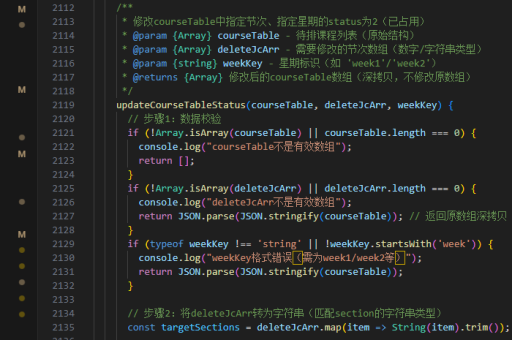
添加重置功能,允许重新开始随机点名。
methods: {
  resetNames() {
    this.names = ['张三', '李四', '王五', '赵六', '钱七'];
    this.currentName = '';
  }
}
<button @click="resetNames">重置</button>