css立体按钮制作
CSS立体按钮制作方法
阴影效果法
通过box-shadow属性叠加多层阴影创造立体感
.button {
  background: #4CAF50;
  border: none;
  padding: 12px 24px;
  color: white;
  font-size: 16px;
  box-shadow:
    0 4px 0 #2E7D32,
    0 5px 5px rgba(0,0,0,0.2);
  transition: all 0.1s;
}
.button:active {
  box-shadow:
    0 2px 0 #2E7D32,
    0 3px 3px rgba(0,0,0,0.2);
  transform: translateY(2px);
}
伪元素法
利用:before伪元素创建底部立体层
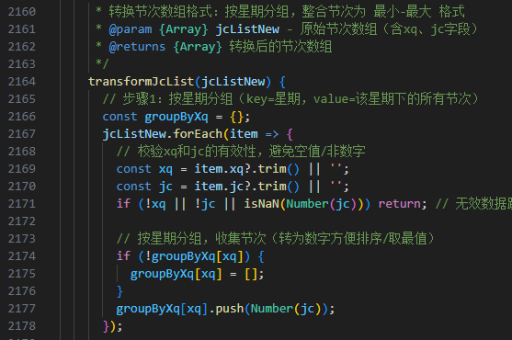
.button {
  position: relative;
  background: #FF5722;
  padding: 12px 24px;
  color: white;
  border: none;
  z-index: 1;
}
.button:before {
  content: '';
  position: absolute;
  top: 5px;
  left: 0;
  width: 100%;
  height: 100%;
  background: #E64A19;
  z-index: -1;
  transition: all 0.3s;
}
.button:hover:before {
  top: 2px;
}
渐变过渡法
使用linear-gradient模拟光照效果

.button {
  background: linear-gradient(
    to bottom,
    #2196F3 0%,
    #1976D2 50%,
    #0D47A1 100%
  );
  border: none;
  padding: 12px 24px;
  color: white;
  text-shadow: 0 -1px 0 rgba(0,0,0,0.3);
  border-radius: 4px;
  box-shadow:
    inset 0 1px 0 rgba(255,255,255,0.3),
    0 3px 0 #0D47A1;
}
3D变换法
通过transform属性实现真实空间感
.button {
  background: #9C27B0;
  padding: 12px 24px;
  color: white;
  border: none;
  transform-style: preserve-3d;
  transition: transform 0.3s;
}
.button:after {
  content: '';
  position: absolute;
  width: 100%;
  height: 100%;
  background: #7B1FA2;
  top: 5px;
  left: 0;
  transform: translateZ(-1em);
}
.button:active {
  transform: translateY(5px);
}
注意事项
- 确保按钮有足够的对比度
- 活动状态(
:active)需要模拟按下效果 - 移动端设备需要增加
touch-action支持 - 使用
will-change: transform优化动画性能