个人css网页制作
创建基本HTML结构
从构建HTML文件开始,确保包含DOCTYPE声明和基本标签如<html>、<head>和<body>。在<head>部分引入CSS文件或直接编写内联样式。
<!DOCTYPE html>
<html lang="zh">
<head>
    <meta charset="UTF-8">
    <meta name="viewport" content="width=device-width, initial-scale=1.0">
    <title>个人网页</title>
    <link rel="stylesheet" href="styles.css">
</head>
<body>
    <header>
        <h1>欢迎来到我的个人网页</h1>
    </header>
    <main>
        <section>
            <h2>关于我</h2>
            <p>这里是一些个人简介。</p>
        </section>
    </main>
    <footer>
        <p>© 2023 我的个人网页</p>
    </footer>
</body>
</html>
设计CSS样式
在单独的CSS文件(如styles.css)中定义样式。使用选择器针对HTML元素进行设计,包括颜色、字体、布局等。

body {
    font-family: 'Arial', sans-serif;
    line-height: 1.6;
    margin: 0;
    padding: 0;
    background-color: #f4f4f9;
    color: #333;
}

header {
    background: #35424a;
    color: #ffffff;
    padding: 20px 0;
    text-align: center;
}

main {
    padding: 20px;
}

footer {
    text-align: center;
    padding: 10px;
    background: #35424a;
    color: #ffffff;
}
响应式布局
使用媒体查询确保网页在不同设备上显示良好。调整布局和字体大小以适应屏幕尺寸。
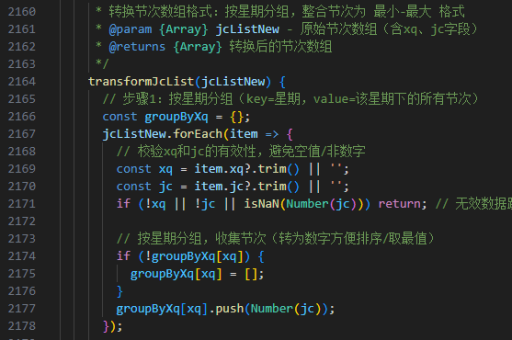
@media (max-width: 768px) {
    header h1 {
        font-size: 1.5em;
    }
    main {
        padding: 10px;
    }
}
添加交互效果
通过CSS伪类和过渡效果增强用户体验。例如,为链接或按钮添加悬停效果。
a {
    color: #3498db;
    text-decoration: none;
}

a:hover {
    color: #2980b9;
    text-decoration: underline;
}

button {
    background: #3498db;
    color: #ffffff;
    border: none;
    padding: 10px 20px;
    cursor: pointer;
    transition: background 0.3s ease;
}

button:hover {
    background: #2980b9;
}
优化字体和图标
使用Web字体(如Google Fonts)和图标库(如Font Awesome)提升视觉效果。在<head>中引入相关资源。
<link href="https://fonts.googleapis.com/css2?family=Roboto:wght@400;700&display=swap" rel="stylesheet">
<link rel="stylesheet" href="https://cdnjs.cloudflare.com/ajax/libs/font-awesome/6.0.0/css/all.min.css">
部署和测试
将文件上传至服务器或使用本地开发环境测试。检查不同浏览器和设备上的兼容性,确保功能正常。