vue项目实现页面
Vue 项目实现页面的方法
创建 Vue 组件
在 Vue 项目中,页面通常由组件构成。每个页面可以是一个独立的 Vue 单文件组件(SFC),包含模板、脚本和样式。新建一个 .vue 文件,例如 HomePage.vue:
<template>
  <div class="home-page">
    <h1>Home Page</h1>
    <p>Welcome to the home page.</p>
  </div>
</template>

<script>
export default {
  name: 'HomePage',
  data() {
    return {
      message: 'Hello Vue!'
    };
  }
};
</script>

<style scoped>
.home-page {
  text-align: center;
  padding: 20px;
}
</style>
配置路由
使用 Vue Router 管理页面导航。在 router/index.js 中配置路由,将组件映射到路径:
import { createRouter, createWebHistory } from 'vue-router';
import HomePage from '../views/HomePage.vue';

const routes = [
  {
    path: '/',
    name: 'Home',
    component: HomePage
  }
];

const router = createRouter({
  history: createWebHistory(),
  routes
});

export default router;
动态路由与参数
支持动态路由传递参数,例如用户详情页:
{
  path: '/user/:id',
  name: 'User',
  component: () => import('../views/UserPage.vue')
}
在组件中通过 $route.params.id 获取参数。

页面布局与嵌套路由
通过嵌套路由实现共享布局。例如,主布局包含导航栏,子页面显示在 <router-view> 中:
{
  path: '/',
  component: () => import('../layouts/MainLayout.vue'),
  children: [
    { path: '', component: HomePage },
    { path: 'about', component: AboutPage }
  ]
}
状态管理
复杂页面可使用 Pinia 或 Vuex 管理状态。例如,存储用户数据:
import { defineStore } from 'pinia';

export const useUserStore = defineStore('user', {
  state: () => ({
    name: '',
    email: ''
  }),
  actions: {
    setUser(user) {
      this.name = user.name;
      this.email = user.email;
    }
  }
});
页面生命周期
利用 Vue 生命周期钩子处理页面逻辑,如数据加载:
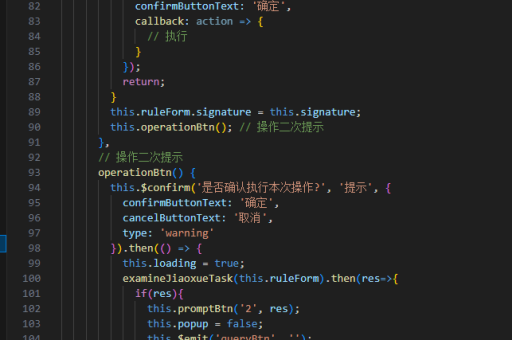
export default {
  mounted() {
    this.fetchData();
  },
  methods: {
    async fetchData() {
      const response = await axios.get('/api/data');
      this.data = response.data;
    }
  }
};
响应式设计
使用 CSS 或 UI 框架(如 Element Plus、Vuetify)实现响应式布局。例如,基于屏幕宽度调整样式:
@media (max-width: 768px) {
  .home-page {
    padding: 10px;
  }
}
页面间通信
通过事件总线或状态管理传递数据。例如,使用 Pinia 共享状态:
const userStore = useUserStore();
userStore.setUser({ name: 'Alice', email: 'alice@example.com' });
优化与懒加载
路由懒加载提升性能,动态导入组件:
component: () => import('../views/AboutPage.vue')以上方法涵盖了 Vue 项目实现页面的核心流程,从组件创建到路由配置,再到状态管理和优化策略。根据项目需求选择合适的技术组合。