vue 实现边框闪烁
使用 CSS 动画实现边框闪烁
在 Vue 中可以通过 CSS 动画结合动态类名实现边框闪烁效果。创建一个自定义类,利用 @keyframes 定义闪烁动画,再通过 Vue 的数据绑定动态切换类名。
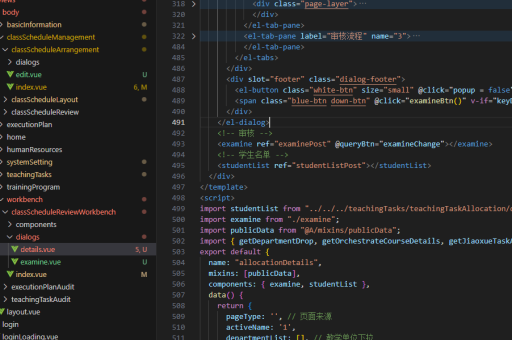
<template>
  <div :class="{ 'blink-border': isBlinking }" class="box">
    内容区域
  </div>
  <button @click="toggleBlink">切换闪烁</button>
</template>

<script>
export default {
  data() {
    return {
      isBlinking: false
    }
  },
  methods: {
    toggleBlink() {
      this.isBlinking = !this.isBlinking
    }
  }
}
</script>

<style>
.box {
  width: 200px;
  height: 100px;
  border: 2px solid transparent;
  transition: border-color 0.3s;
}

.blink-border {
  animation: blink 1s infinite;
}

@keyframes blink {
  0% { border-color: transparent; }
  50% { border-color: #ff0000; }
  100% { border-color: transparent; }
}
</style>
使用 Vue 过渡效果实现
Vue 的过渡系统也可以实现类似效果,通过绑定样式属性实现更灵活的控制。
<template>
  <div
    class="box"
    :style="{ border: `2px solid ${borderColor}` }"
  >
    内容区域
  </div>
  <button @click="startBlink">开始闪烁</button>
</template>

<script>
export default {
  data() {
    return {
      borderColor: 'transparent',
      blinkInterval: null
    }
  },
  methods: {
    startBlink() {
      if (this.blinkInterval) {
        clearInterval(this.blinkInterval)
        this.borderColor = 'transparent'
        return
      }

      this.blinkInterval = setInterval(() => {
        this.borderColor = this.borderColor === 'transparent' ? '#00ff00' : 'transparent'
      }, 500)
    }
  },
  beforeUnmount() {
    if (this.blinkInterval) {
      clearInterval(this.blinkInterval)
    }
  }
}
</script>

<style>
.box {
  width: 200px;
  height: 100px;
  transition: border-color 0.3s;
}
</style>
使用第三方库实现高级效果
对于更复杂的闪烁效果,可以考虑使用第三方动画库如 anime.js 或 gsap。
<template>
  <div ref="box" class="box">
    内容区域
  </div>
  <button @click="animateBorder">高级闪烁</button>
</template>

<script>
import anime from 'animejs'

export default {
  methods: {
    animateBorder() {
      anime({
        targets: this.$refs.box,
        borderColor: [
          { value: '#ff0000' },
          { value: '#00ff00' },
          { value: '#0000ff' },
          { value: 'transparent' }
        ],
        duration: 2000,
        loop: true,
        easing: 'linear'
      })
    }
  }
}
</script>

<style>
.box {
  width: 200px;
  height: 100px;
  border: 2px solid transparent;
}
</style>
响应式边框闪烁
结合 Vue 的计算属性和响应式数据,可以创建根据状态变化的闪烁效果。
<template>
  <div
    class="box"
    :class="{ 'alert-border': showAlert }"
  >
    内容区域
  </div>
  <button @click="showAlert = !showAlert">触发警报</button>
</template>

<script>
export default {
  data() {
    return {
      showAlert: false
    }
  }
}
</script>

<style>
.box {
  width: 200px;
  height: 100px;
  border: 2px solid #ccc;
  transition: border-color 0.3s;
}

.alert-border {
  animation: alertBlink 0.5s infinite alternate;
}

@keyframes alertBlink {
  from { border-color: #ff0000; }
  to { border-color: #ff9999; box-shadow: 0 0 10px #ff0000; }
}
</style>
每种方法适用于不同场景,CSS 动画方案最简单,Vue 过渡方案更灵活,第三方库方案功能最强大,响应式方案最适合状态驱动的场景。根据项目需求选择最适合的实现方式。