vue实现刻度尺时间轴
实现思路
使用Vue实现刻度尺时间轴需要结合动态数据绑定和样式计算。核心思路是生成刻度标记,并通过CSS控制布局和样式,利用Vue的响应式特性动态更新数据。
基础结构
创建Vue组件,定义时间范围、刻度间隔等参数。模板部分使用v-for循环生成刻度线,通过计算属性动态调整刻度位置。
<template>
  <div class="time-ruler">
    <div
      v-for="(tick, index) in ticks"
      :key="index"
      class="tick"
      :style="{ left: tick.position + '%' }"
    >
      <span class="tick-label">{{ tick.label }}</span>
    </div>
  </div>
</template>
数据与计算属性
定义时间范围(如0-24小时)和刻度间隔(如1小时),通过计算属性生成刻度位置和标签。
<script>
export default {
  data() {
    return {
      startTime: 0,   // 起始时间(小时)
      endTime: 24,    // 结束时间(小时)
      interval: 1     // 刻度间隔(小时)
    };
  },
  computed: {
    ticks() {
      const ticks = [];
      for (let i = this.startTime; i <= this.endTime; i += this.interval) {
        ticks.push({
          label: `${i}:00`,
          position: ((i - this.startTime) / (this.endTime - this.startTime)) * 100
        });
      }
      return ticks;
    }
  }
};
</script>
样式设计
使用绝对定位布局刻度线,通过CSS实现横向刻度尺效果。主刻度线加粗,标签显示在下方。
<style>
.time-ruler {
  position: relative;
  height: 40px;
  border-bottom: 1px solid #ccc;
  margin: 20px 0;
}

.tick {
  position: absolute;
  bottom: 0;
  width: 1px;
  height: 10px;
  background-color: #999;
}

.tick.major {
  height: 15px;
  background-color: #333;
}

.tick-label {
  position: absolute;
  top: 15px;
  left: 50%;
  transform: translateX(-50%);
  font-size: 12px;
}
</style>
动态交互扩展
添加拖动或缩放功能时,结合Vue的事件处理更新数据。例如监听鼠标事件调整时间范围:
methods: {
  handleDrag(e) {
    // 根据鼠标移动距离计算新的startTime和endTime
    this.startTime += delta;
    this.endTime += delta;
  }
}
响应式优化
在移动端适配时,可通过媒体查询调整刻度密度或标签显示方式:
@media (max-width: 600px) {
  .tick-label {
    display: none;  /* 小屏幕隐藏部分标签 */
  }
  .interval {
    interval: 2;   /* 增大间隔 */
  }
}
完整组件示例
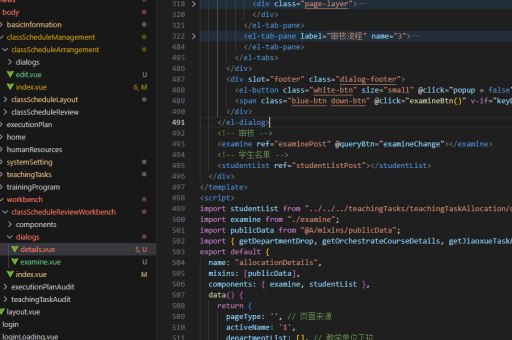
整合上述代码的完整组件示例:
<template>
  <div
    class="time-ruler"
    @mousedown="startDrag"
    @mousemove="handleDrag"
    @mouseup="endDrag"
  >
    <div
      v-for="(tick, index) in ticks"
      :key="index"
      class="tick"
      :class="{ major: index % 4 === 0 }"
      :style="{ left: tick.position + '%' }"
    >
      <span class="tick-label">{{ tick.label }}</span>
    </div>
  </div>
</template>

<script>
export default {
  data() {
    return {
      startTime: 0,
      endTime: 24,
      interval: 1,
      isDragging: false
    };
  },
  computed: {
    ticks() {
      const ticks = [];
      for (let i = this.startTime; i <= this.endTime; i += this.interval) {
        ticks.push({
          label: `${i}:00`,
          position: ((i - this.startTime) / (this.endTime - this.startTime)) * 100
        });
      }
      return ticks;
    }
  },
  methods: {
    startDrag() {
      this.isDragging = true;
    },
    handleDrag(e) {
      if (!this.isDragging) return;
      // 实现拖动逻辑
    },
    endDrag() {
      this.isDragging = false;
    }
  }
};
</script>

<style>
/* 样式部分同上 */
</style>