vue实现桌面功能
Vue 实现桌面功能的方法
Vue 可以结合 Electron 或 PWA 技术实现桌面应用功能,以下是具体实现方案:
使用 Electron 打包桌面应用
Electron 是一个使用 JavaScript, HTML 和 CSS 构建跨平台桌面应用的框架。Vue 可以与 Electron 完美结合:
安装 Electron 和 Vue CLI 插件
npm install -g @vue/cli
vue create my-electron-app
cd my-electron-app
vue add electron-builder
配置主进程文件 background.js,创建窗口并加载 Vue 应用
const { app, BrowserWindow } = require('electron')

function createWindow() {
  const win = new BrowserWindow({
    width: 800,
    height: 600,
    webPreferences: {
      nodeIntegration: true
    }
  })

  win.loadFile('dist/index.html')
}
构建并运行应用
npm run electron:serve  // 开发模式
npm run electron:build  // 生产构建
使用 PWA 实现桌面功能
渐进式 Web 应用 (PWA) 可以让网页应用具备桌面应用特性:

通过 Vue CLI 创建 PWA 项目
vue create my-pwa-app
cd my-pwa-app
vue add pwa
配置 vue.config.js 中的 PWA 设置
module.exports = {
  pwa: {
    name: 'My PWA',
    themeColor: '#4DBA87',
    msTileColor: '#000000',
    appleMobileWebAppCapable: 'yes',
    appleMobileWebAppStatusBarStyle: 'black',
  }
}
添加 manifest.json 定义应用元数据
{
  "name": "My Vue PWA",
  "short_name": "VuePWA",
  "start_url": ".",
  "display": "standalone",
  "background_color": "#ffffff",
  "icons": [
    {
      "src": "img/icons/icon-192x192.png",
      "sizes": "192x192",
      "type": "image/png"
    }
  ]
}
系统集成功能实现
访问本地文件系统
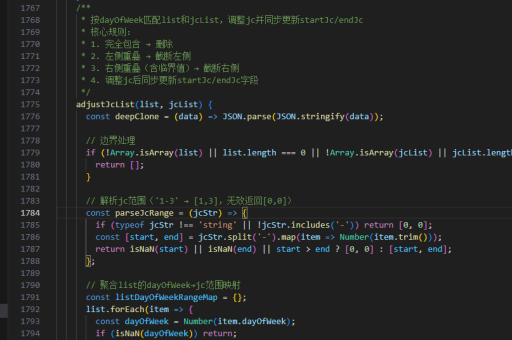
const fs = require('fs')
fs.readFile('/path/to/file', (err, data) => {
  if (err) throw err
  console.log(data)
})
系统通知功能
new Notification('Vue桌面应用', {
  body: '这是一个桌面通知示例'
})
全局快捷键注册
const { globalShortcut } = require('electron')
globalShortcut.register('CommandOrControl+X', () => {
  console.log('快捷键被触发')
})
打包与分发
Electron 应用打包
npm run electron:build
# 生成的可执行文件在 dist_electron 目录
PWA 应用部署
npm run build
# 生成的静态文件在 dist 目录,可部署到任何 Web 服务器
跨平台注意事项
- 不同操作系统的路径处理应使用
path模块 - 系统样式需考虑各平台差异
- 测试时需覆盖所有目标平台
- 打包配置需针对不同平台调整
以上方法可根据具体需求选择,Electron 适合需要深度系统集成的应用,PWA 适合轻量级的跨平台解决方案。