java如何采集商品
采集商品数据的方法
使用Jsoup解析HTML
Jsoup是一个Java库,用于处理HTML文档。可以从网页中提取商品信息。以下是一个示例代码,展示如何从网页中获取商品名称和价格:
import org.jsoup.Jsoup;
import org.jsoup.nodes.Document;
import org.jsoup.nodes.Element;
import org.jsoup.select.Elements;

public class ProductScraper {
    public static void main(String[] args) throws Exception {
        String url = "https://example.com/products";
        Document doc = Jsoup.connect(url).get();
        Elements products = doc.select(".product-item");

        for (Element product : products) {
            String name = product.select(".product-name").text();
            String price = product.select(".product-price").text();
            System.out.println("Name: " + name + ", Price: " + price);
        }
    }
}
使用Selenium自动化浏览器
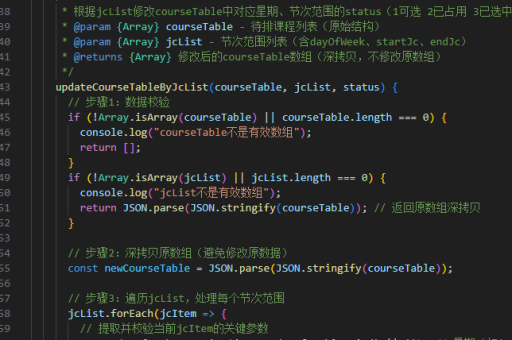
对于动态加载的商品页面,可以使用Selenium模拟浏览器行为。以下代码展示了如何通过Selenium获取商品数据:
import org.openqa.selenium.By;
import org.openqa.selenium.WebDriver;
import org.openqa.selenium.WebElement;
import org.openqa.selenium.chrome.ChromeDriver;
import java.util.List;

public class DynamicProductScraper {
    public static void main(String[] args) {
        System.setProperty("webdriver.chrome.driver", "path/to/chromedriver");
        WebDriver driver = new ChromeDriver();
        driver.get("https://example.com/products");

        List<WebElement> products = driver.findElements(By.cssSelector(".product-item"));
        for (WebElement product : products) {
            String name = product.findElement(By.cssSelector(".product-name")).getText();
            String price = product.findElement(By.cssSelector(".product-price")).getText();
            System.out.println("Name: " + name + ", Price: " + price);
        }
        driver.quit();
    }
}
调用API获取商品数据
许多电商平台提供API接口,可以直接获取商品数据。以下是一个使用HttpClient调用API的示例:

import org.apache.http.client.methods.HttpGet;
import org.apache.http.impl.client.CloseableHttpClient;
import org.apache.http.impl.client.HttpClients;
import org.apache.http.util.EntityUtils;

public class ApiProductScraper {
    public static void main(String[] args) throws Exception {
        String apiUrl = "https://api.example.com/products";
        CloseableHttpClient client = HttpClients.createDefault();
        HttpGet request = new HttpGet(apiUrl);

        String response = EntityUtils.toString(client.execute(request).getEntity());
        System.out.println("API Response: " + response);
        client.close();
    }
}
处理反爬机制
部分网站会设置反爬机制,可以通过设置请求头、使用代理IP或延迟请求来规避。以下代码展示了如何设置请求头:
Document doc = Jsoup.connect(url)
    .userAgent("Mozilla/5.0")
    .header("Accept-Language", "en-US")
    .timeout(10000)
    .get();
数据存储
采集到的商品数据可以存储到数据库或文件中。以下是一个将数据保存到CSV文件的示例:
import java.io.FileWriter;
import java.io.IOException;

public class DataStorage {
    public static void saveToCsv(String fileName, String data) throws IOException {
        FileWriter writer = new FileWriter(fileName, true);
        writer.append(data).append("\n");
        writer.close();
    }
}
通过以上方法,可以高效地采集商品数据并根据需求进行处理和存储。