jquery文字滚动
jQuery 文字滚动实现方法
使用 animate() 方法实现横向滚动
通过 jQuery 的 animate() 方法可以控制元素的 margin-left 或 left 属性实现横向滚动效果。以下是一个基础实现示例:

function scrollText() {
    $(".scroll-content").animate({marginLeft: "-=10px"}, 50, "linear", function() {
        if (parseInt($(this).css("marginLeft")) <= -$(this).width()) {
            $(this).css("marginLeft", $(this).parent().width());
        }
        scrollText();
    });
}
$(document).ready(function() {
    scrollText();
});
使用 marquee 插件简化实现
jQuery Marquee 插件提供了更便捷的文字滚动功能,支持多种参数配置:
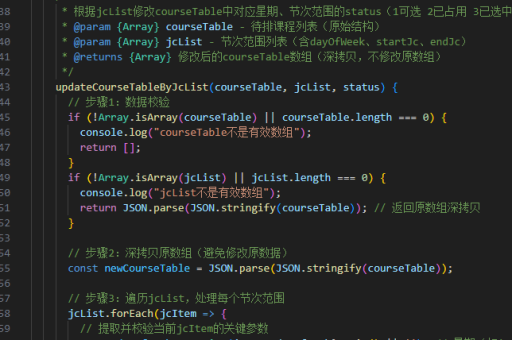
$('.marquee').marquee({
    duration: 15000,  // 滚动完成时间(毫秒)
    gap: 50,          // 内容间的间隔
    delayBeforeStart: 0,
    direction: 'left',// 滚动方向
    duplicated: true  // 是否复制内容实现无缝滚动
});
CSS3 动画结合 jQuery 控制
通过 CSS3 的 @keyframes 实现动画,用 jQuery 控制播放状态:
.scroll-text {
    white-space: nowrap;
    animation: scroll 10s linear infinite;
}
@keyframes scroll {
    0% { transform: translateX(100%); }
    100% { transform: translateX(-100%); }
}
$(".scroll-text").hover(
function() { $(this).css("animation-play-state", "paused"); },
function() { $(this).css("animation-play-state", "running"); }
);垂直滚动实现方案
修改 animate() 的参数即可实现垂直方向滚动:
function verticalScroll() {
    $(".vertical-scroll").animate({top: "-=1px"}, 50, function() {
        if (parseInt($(this).css("top")) <= -$(this).height()) {
            $(this).css("top", $(this).parent().height());
        }
        verticalScroll();
    });
}
注意事项
- 确保滚动内容宽度超过容器宽度时才启用滚动
- 移动端需考虑 touch 事件暂停滚动
- 大量文本滚动时注意性能优化
- 无缝滚动需要复制一份相同内容
以上方法可根据实际需求选择使用,插件方案开发效率最高,原生实现灵活性最强。