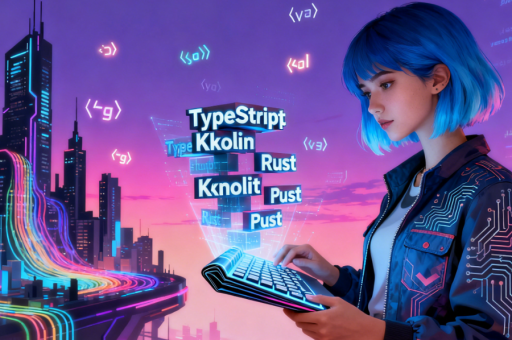
网页css特效制作
CSS 动画基础
使用 @keyframes 定义动画关键帧,通过 animation 属性绑定到元素:
@keyframes fadeIn {
  from { opacity: 0; }
  to { opacity: 1; }
}
.element {
  animation: fadeIn 2s ease-in-out;
}
悬停交互效果
通过 :hover 伪类触发过渡效果,结合 transition 平滑变化:
.button {
  background: #3498db;
  transition: background 0.3s, transform 0.2s;
}
.button:hover {
  background: #2980b9;
  transform: scale(1.05);
}
3D 变换效果
利用 transform-style 和 perspective 实现立体效果:
.card {
  transform-style: preserve-3d;
  perspective: 1000px;
}
.card:hover .inner {
  transform: rotateY(180deg);
}
背景粒子动画
通过伪元素和 box-shadow 生成动态粒子:
.particle {
  position: relative;
}
.particle::before {
  content: '';
  position: absolute;
  width: 2px;
  height: 2px;
  box-shadow: 0 0 5px 1px white;
  animation: float 3s infinite linear;
}
文字渐变与描边
使用 background-clip 实现文字渐变填充:

.text-gradient {
  background: linear-gradient(90deg, #ff8a00, #e52e71);
  -webkit-background-clip: text;
  color: transparent;
  text-stroke: 1px #333;
  -webkit-text-stroke: 1px #333;
}
滚动视差效果
通过 background-attachment: fixed 创建视差层:
.parallax {
  background-image: url('bg.jpg');
  background-attachment: fixed;
  background-position: center;
  height: 100vh;
}
光影滤镜组合
结合 filter 属性实现高级视觉效果:
.glow-effect {
  filter: drop-shadow(0 0 8px rgba(255, 0, 255, 0.7))
          brightness(1.2);
}
响应式媒体查询
针对不同屏幕尺寸调整特效参数:
@media (max-width: 768px) {
  .animation {
    animation-duration: 1s;
  }
}