vue 怎么实现弹窗
实现弹窗的基础方法
在Vue中实现弹窗可以通过组件化方式完成。创建一个独立的弹窗组件,利用v-if或v-show控制显示状态。弹窗组件通常包含遮罩层、内容区域和关闭按钮。
<template>
  <div class="modal-mask" v-show="showModal" @click="closeModal">
    <div class="modal-container" @click.stop>
      <slot></slot>
      <button @click="closeModal">关闭</button>
    </div>
  </div>
</template>

<script>
export default {
  props: {
    showModal: Boolean
  },
  methods: {
    closeModal() {
      this.$emit('update:showModal', false)
    }
  }
}
</script>

<style>
.modal-mask {
  position: fixed;
  top: 0;
  left: 0;
  width: 100%;
  height: 100%;
  background: rgba(0,0,0,0.5);
  display: flex;
  justify-content: center;
  align-items: center;
}
.modal-container {
  background: white;
  padding: 20px;
  border-radius: 4px;
}
</style>
使用动态组件实现弹窗
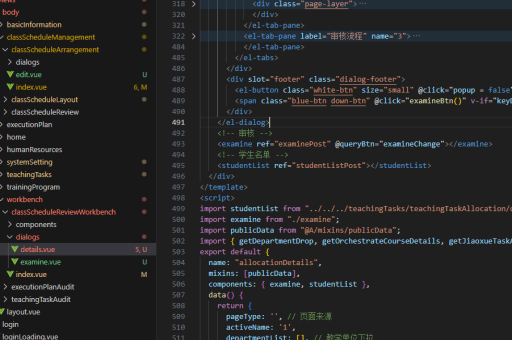
通过Vue的动态组件特性可以灵活切换不同弹窗内容。结合<component>标签和is属性实现多类型弹窗管理。
// 父组件中使用
<template>
  <button @click="showDialog('LoginDialog')">登录弹窗</button>
  <button @click="showDialog('RegisterDialog')">注册弹窗</button>

  <component
    :is="currentDialog"
    v-if="showDialog"
    @close="closeDialog"
  />
</template>

<script>
import LoginDialog from './LoginDialog.vue'
import RegisterDialog from './RegisterDialog.vue'

export default {
  components: { LoginDialog, RegisterDialog },
  data() {
    return {
      showDialog: false,
      currentDialog: null
    }
  },
  methods: {
    showDialog(type) {
      this.currentDialog = type
      this.showDialog = true
    },
    closeDialog() {
      this.showDialog = false
    }
  }
}
</script>
使用Vuex管理弹窗状态
对于复杂应用,可以通过Vuex集中管理弹窗的全局状态。创建专门的状态模块处理多个弹窗的显示逻辑。
// store/modules/modal.js
const state = {
  loginModal: false,
  registerModal: false
}

const mutations = {
  SHOW_MODAL(state, modalName) {
    state[modalName] = true
  },
  HIDE_MODAL(state, modalName) {
    state[modalName] = false
  }
}

// 组件中使用
this.$store.commit('SHOW_MODAL', 'loginModal')
this.$store.commit('HIDE_MODAL', 'loginModal')
使用第三方弹窗库
现有UI库如Element UI、Vuetify等提供现成的弹窗组件,可直接集成使用。

<!-- 使用Element UI的Dialog -->
<el-dialog
  title="提示"
  :visible.sync="dialogVisible"
  width="30%">
  <span>这是一段信息</span>
  <template #footer>
    <span class="dialog-footer">
      <el-button @click="dialogVisible = false">取消</el-button>
      <el-button type="primary" @click="dialogVisible = false">确定</el-button>
    </span>
  </template>
</el-dialog>

<script>
export default {
  data() {
    return {
      dialogVisible: false
    }
  }
}
</script>
实现可拖拽弹窗
通过监听鼠标事件实现弹窗拖拽功能,需要处理mousedown、mousemove和mouseup事件。
// 在弹窗组件中添加拖拽逻辑
data() {
  return {
    isDragging: false,
    startX: 0,
    startY: 0,
    offsetX: 0,
    offsetY: 0
  }
},
methods: {
  startDrag(e) {
    this.isDragging = true
    this.startX = e.clientX
    this.startY = e.clientY
    document.addEventListener('mousemove', this.onDrag)
    document.addEventListener('mouseup', this.stopDrag)
  },
  onDrag(e) {
    if (!this.isDragging) return
    this.offsetX = e.clientX - this.startX
    this.offsetY = e.clientY - this.startY
  },
  stopDrag() {
    this.isDragging = false
    document.removeEventListener('mousemove', this.onDrag)
    document.removeEventListener('mouseup', this.stopDrag)
  }
}
弹窗动画效果
通过Vue的过渡系统为弹窗添加显示/隐藏动画,使用<transition>包裹弹窗组件。
<transition name="modal">
  <Modal v-if="showModal" @close="showModal = false"/>
</transition>

<style>
.modal-enter-active, .modal-leave-active {
  transition: opacity 0.3s ease;
}
.modal-enter, .modal-leave-to {
  opacity: 0;
}
.modal-enter-active .modal-container,
.modal-leave-active .modal-container {
  transition: transform 0.3s ease;
}
.modal-enter .modal-container,
.modal-leave-to .modal-container {
  transform: scale(0.9);
}
</style>