react如何获取列表数据
获取列表数据的常用方法
在React中获取列表数据通常涉及异步请求(如API调用)和状态管理。以下是几种常见实现方式:
使用useEffect和useState钩子
通过React内置钩子发起数据请求并管理状态:
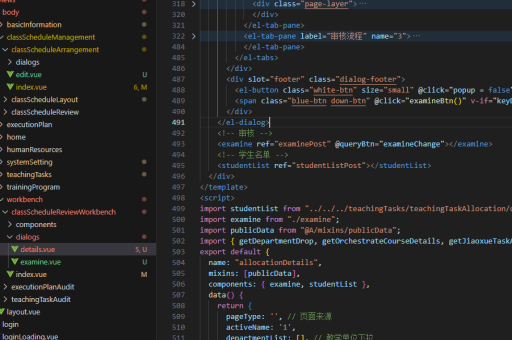
import { useState, useEffect } from 'react';

function ListComponent() {
  const [items, setItems] = useState([]);
  const [loading, setLoading] = useState(false);

  useEffect(() => {
    const fetchData = async () => {
      setLoading(true);
      try {
        const response = await fetch('https://api.example.com/items');
        const data = await response.json();
        setItems(data);
      } catch (error) {
        console.error('Error fetching data:', error);
      } finally {
        setLoading(false);
      }
    };

    fetchData();
  }, []);

  if (loading) return <div>Loading...</div>;

  return (
    <ul>
      {items.map(item => (
        <li key={item.id}>{item.name}</li>
      ))}
    </ul>
  );
}
使用axios库
axios提供了更强大的HTTP请求功能:

import axios from 'axios';

useEffect(() => {
  axios.get('https://api.example.com/items')
    .then(response => setItems(response.data))
    .catch(error => console.error('Error:', error));
}, []);
使用React Query库
React Query专门用于数据获取和状态管理:
import { useQuery } from 'react-query';

function ListComponent() {
  const { data, isLoading, error } = useQuery('items', () =>
    fetch('https://api.example.com/items').then(res => res.json())
  );

  if (isLoading) return 'Loading...';
  if (error) return 'Error occurred';

  return (
    <ul>
      {data.map(item => (
        <li key={item.id}>{item.name}</li>
      ))}
    </ul>
  );
}
分页加载实现
对于大数据量列表,实现分页加载:
const [page, setPage] = useState(1);

useEffect(() => {
  fetch(`https://api.example.com/items?page=${page}`)
    .then(res => res.json())
    .then(newItems => setItems(prev => [...prev, ...newItems]));
}, [page]);

const loadMore = () => setPage(prev => prev + 1);
注意事项
- 始终处理加载状态和错误状态
- 为列表项添加唯一的key属性
- 考虑使用AbortController取消未完成的请求
- 对于复杂应用,建议使用专门的状态管理库(如Redux)或数据获取库(如React Query、SWR)