前端vue如何实现
Vue 实现步骤
安装 Vue 和相关依赖:
npm install vue vue-router axios创建 Vue 实例并配置路由:
import Vue from 'vue'
import VueRouter from 'vue-router'
import App from './App.vue'
import Home from './components/Home.vue'
import About from './components/About.vue'

Vue.use(VueRouter)

const routes = [
  { path: '/', component: Home },
  { path: '/about', component: About }
]

const router = new VueRouter({
  routes
})

new Vue({
  router,
  render: h => h(App)
}).$mount('#app')
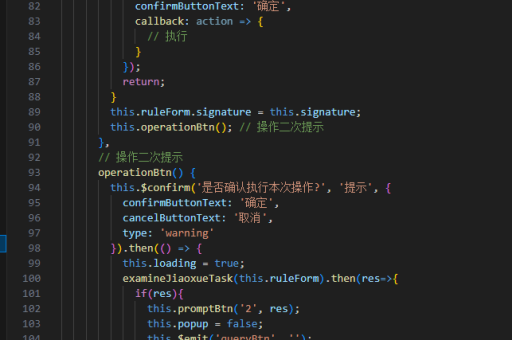
创建组件文件:
<template>
  <div>
    <h1>{{ title }}</h1>
    <button @click="handleClick">Click me</button>
  </div>
</template>

<script>
export default {
  data() {
    return {
      title: 'Hello Vue!'
    }
  },
  methods: {
    handleClick() {
      this.title = 'Button clicked!'
    }
  }
}
</script>
数据绑定与响应式
使用 v-model 实现双向数据绑定:
<template>
  <div>
    <input v-model="message" />
    <p>{{ message }}</p>
  </div>
</template>

<script>
export default {
  data() {
    return {
      message: ''
    }
  }
}
</script>
组件通信
父组件向子组件传递 props:

<!-- Parent.vue -->
<template>
  <Child :msg="parentMessage" />
</template>

<script>
import Child from './Child.vue'

export default {
  components: { Child },
  data() {
    return {
      parentMessage: 'Hello from parent'
    }
  }
}
</script>

<!-- Child.vue -->
<template>
  <div>{{ msg }}</div>
</template>

<script>
export default {
  props: ['msg']
}
</script>
状态管理
使用 Vuex 进行状态管理:
import Vue from 'vue'
import Vuex from 'vuex'

Vue.use(Vuex)

const store = new Vuex.Store({
  state: {
    count: 0
  },
  mutations: {
    increment(state) {
      state.count++
    }
  },
  actions: {
    increment({ commit }) {
      commit('increment')
    }
  }
})

export default store
在组件中使用:
<template>
  <div>
    {{ $store.state.count }}
    <button @click="$store.dispatch('increment')">+1</button>
  </div>
</template>
API 请求
使用 axios 进行 HTTP 请求:
import axios from 'axios'

export default {
  methods: {
    async fetchData() {
      try {
        const response = await axios.get('https://api.example.com/data')
        this.data = response.data
      } catch (error) {
        console.error(error)
      }
    }
  }
}