
vue js语法实现
Vue.js 语法实现指南
Vue.js 是一个渐进式 JavaScript 框架,用于构建用户界面。以下是 Vue.js 的核心语法实现方式:
模板语法
Vue.js 使用基于 HTML 的模板语法,允许开发者声明式地将 DOM 绑定至底层 Vue 实例的数据。
<div id="app">
  {{ message }}
</div>
var app = new Vue({
el: '#app',
data: {
message: 'Hello Vue!'
}
})指令
指令是带有 v- 前缀的特殊属性,用于在表达式的值改变时,将某些行为应用到 DOM 上。
<p v-if="seen">现在你看到我了</p>data: {
seen: true
}计算属性和侦听器
计算属性是基于它们的响应式依赖进行缓存的。
computed: {
  reversedMessage: function () {
    return this.message.split('').reverse().join('')
  }
}
侦听器用于响应数据的变化。
watch: {
  message: function (newVal, oldVal) {
    console.log('new: %s, old: %s', newVal, oldVal)
  }
}
条件渲染
v-if 和 v-show 用于条件性地渲染一块内容。
<h1 v-if="awesome">Vue is awesome!</h1>
<h1 v-else>Oh no 😢</h1>
列表渲染
v-for 指令基于一个数组来渲染一个列表。
<ul>
  <li v-for="item in items" :key="item.id">
    {{ item.text }}
  </li>
</ul>
事件处理
v-on 指令监听 DOM 事件。
<button v-on:click="greet">Greet</button>methods: {
greet: function (event) {
alert('Hello Vue!')
}
}表单输入绑定
v-model 指令在表单输入和应用状态间创建双向绑定。
<input v-model="message" placeholder="edit me">
<p>Message is: {{ message }}</p>
组件
组件是 Vue 最强大的特性之一,允许开发者构建大型应用。
Vue.component('button-counter', {
  data: function () {
    return {
      count: 0
    }
  },
  template: '<button v-on:click="count++">You clicked me {{ count }} times.</button>'
})
生命周期钩子
Vue 实例在被创建时经历一系列初始化过程,这些过程提供了生命周期钩子。
new Vue({
  data: {
    a: 1
  },
  created: function () {
    console.log('a is: ' + this.a)
  }
})
过渡和动画
Vue 提供了多种方式来实现过渡效果。
<transition name="fade">
  <p v-if="show">hello</p>
</transition>
.fade-enter-active, .fade-leave-active {
transition: opacity .5s;
}
.fade-enter, .fade-leave-to {
opacity: 0;
}混入
混入是一种分发 Vue 组件中可复用功能的灵活方式。
var myMixin = {
  created: function () {
    this.hello()
  },
  methods: {
    hello: function () {
      console.log('hello from mixin!')
    }
  }
}

var Component = Vue.extend({
  mixins: [myMixin]
})
自定义指令
开发者可以注册自定义指令。
Vue.directive('focus', {
  inserted: function (el) {
    el.focus()
  }
})
<input v-focus>插件
插件通常用来为 Vue 添加全局功能。
MyPlugin.install = function (Vue, options) {
  Vue.prototype.$myMethod = function (methodOptions) {
    console.log('myMethod called')
  }
}

Vue.use(MyPlugin)
单文件组件
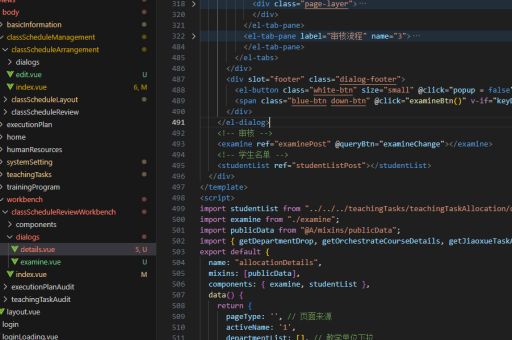
Vue 单文件组件将模板、逻辑和样式封装在一个文件中。
<template>
  <div class="example">{{ msg }}</div>
</template>

<script>
export default {
  data () {
    return {
      msg: 'Hello world!'
    }
  }
}
</script>

<style>
.example {
  color: red;
}
</style>
以上是 Vue.js 的核心语法实现方式,涵盖了从基础到高级的各种特性。开发者可以根据项目需求选择适合的特性组合使用。





