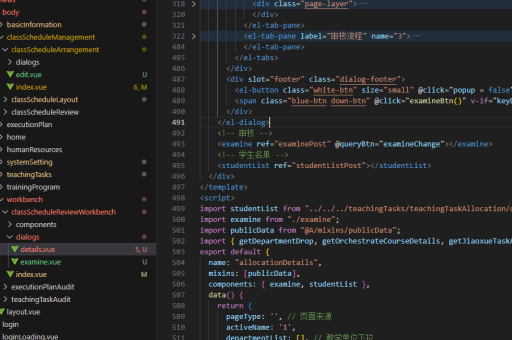
vue页面实现流程
Vue 页面实现流程
创建 Vue 项目
使用 Vue CLI 或 Vite 初始化项目。Vue CLI 适用于传统项目,Vite 适合现代轻量级应用。
安装依赖后,通过命令行工具运行项目初始化命令,生成基础项目结构。
npm init vue@latest
# 或
npm create vite@latest
页面结构设计
单文件组件(SFC)是 Vue 页面的核心,包含 <template>、<script> 和 <style> 三个部分。<template> 定义 HTML 结构,<script> 处理逻辑与数据,<style> 添加组件作用域的样式。
<template>
  <div>{{ message }}</div>
</template>

<script>
export default {
  data() {
    return { message: 'Hello Vue!' }
  }
}
</script>

<style scoped>
div { color: red; }
</style>
路由配置
使用 Vue Router 实现页面导航。定义路由表,将路径映射到组件。
在入口文件(如 main.js)中注册路由实例,并通过 <router-view> 显示当前路由组件。
// router/index.js
import { createRouter, createWebHistory } from 'vue-router'
import Home from '../views/Home.vue'

const routes = [{ path: '/', component: Home }]
const router = createRouter({ history: createWebHistory(), routes })
export default router
状态管理
复杂应用可使用 Pinia 或 Vuex 管理全局状态。
创建 Store 存储共享数据,通过 useStore 或 mapState 在组件中访问。
// stores/counter.js
import { defineStore } from 'pinia'
export const useCounterStore = defineStore('counter', {
  state: () => ({ count: 0 }),
  actions: { increment() { this.count++ } }
})
组件通信
父子组件通过 props 和 $emit 通信。跨层级组件使用 provide/inject 或全局状态管理。
事件总线(Event Bus)适用于简单场景,但不推荐在大型项目中使用。
<!-- 父组件 -->
<ChildComponent :title="parentTitle" @update="handleUpdate" />

<!-- 子组件 -->
<script>
export default {
  props: ['title'],
  methods: { notifyParent() { this.$emit('update', newValue) } }
}
</script>
生命周期与异步操作
在 created 或 mounted 钩子中发起 API 请求,使用 async/await 或 Promise 处理异步数据。
组合式 API 的 setup 函数中,可使用 onMounted 等生命周期钩子。
import { onMounted, ref } from 'vue'
import { fetchData } from './api'

export default {
  setup() {
    const data = ref(null)
    onMounted(async () => { data.value = await fetchData() })
    return { data }
  }
}
样式与预处理
支持 CSS 预处理器如 SCSS、Less,需安装对应依赖。scoped 属性确保样式仅作用于当前组件,避免全局污染。
<style lang="scss" scoped>
$primary: #42b983;
div { color: $primary; }
</style>
构建与部署
运行 npm run build 生成静态文件,部署到 Web 服务器如 Nginx 或 CDN。
配置公共路径(publicPath)适应不同部署环境。

// vite.config.js
export default defineConfig({
  base: process.env.NODE_ENV === 'production' ? '/production-path/' : '/'
})