vue业务实现
Vue 业务实现方法
数据绑定与响应式更新
Vue 的核心特性是数据驱动视图。通过 v-model 实现表单元素与数据的双向绑定,数据变化自动更新 DOM。
<template>
  <input v-model="message" placeholder="Edit me">
  <p>Message is: {{ message }}</p>
</template>

<script>
export default {
  data() {
    return {
      message: ''
    }
  }
}
</script>
组件化开发
将 UI 拆分为独立可复用的组件,通过 props 传递数据,$emit 触发父组件事件。
<!-- ChildComponent.vue -->
<template>
  <button @click="sendMessage">Send</button>
</template>

<script>
export default {
  methods: {
    sendMessage() {
      this.$emit('message', 'Hello from child')
    }
  }
}
</script>

<!-- ParentComponent.vue -->
<template>
  <ChildComponent @message="handleMessage"/>
</template>
状态管理(Vuex)
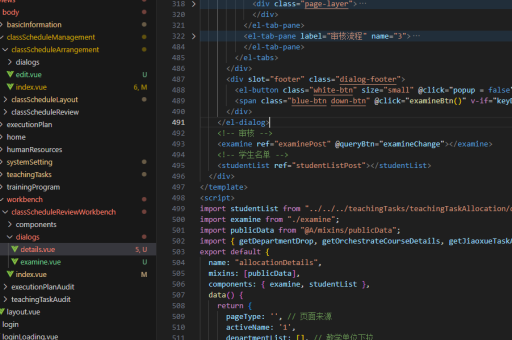
复杂应用使用 Vuex 集中管理状态。定义 state、mutations、actions 和 getters。
// store.js
const store = new Vuex.Store({
  state: {
    count: 0
  },
  mutations: {
    increment(state) {
      state.count++
    }
  },
  actions: {
    incrementAsync({ commit }) {
      setTimeout(() => commit('increment'), 1000)
    }
  }
})
路由管理(Vue Router)
实现单页应用路由跳转,定义路由表并挂载到 Vue 实例。
// router.js
const router = new VueRouter({
  routes: [
    { path: '/', component: Home },
    { path: '/about', component: About }
  ]
})

// main.js
new Vue({
  router,
  render: h => h(App)
}).$mount('#app')
API 请求封装
使用 axios 封装 HTTP 请求,配合 async/await 处理异步逻辑。

// api.js
import axios from 'axios'

export default {
  async getUser(id) {
    try {
      const response = await axios.get(`/api/users/${id}`)
      return response.data
    } catch (error) {
      console.error(error)
    }
  }
}
自定义指令
扩展 Vue 功能,例如实现权限控制指令。
// main.js
Vue.directive('permission', {
  inserted(el, binding) {
    if (!checkPermission(binding.value)) {
      el.parentNode.removeChild(el)
    }
  }
})

// 使用
<button v-permission="'admin'">Admin Only</button>
混入(Mixins)
复用组件选项逻辑,避免代码重复。
// mixins.js
export const formMixin = {
  data() {
    return {
      formData: {}
    }
  },
  methods: {
    validateForm() {
      // 验证逻辑
    }
  }
}

// 组件中使用
import { formMixin } from './mixins'
export default {
  mixins: [formMixin]
}
性能优化
- 使用
v-if替代v-show减少初始渲染开销 - 长列表采用
vue-virtual-scroller虚拟滚动 - 路由懒加载拆分代码包
- 合理使用
keep-alive缓存组件状态
// 路由懒加载
const About = () => import('./About.vue')
单元测试
使用 Jest + Vue Test Utils 编写组件测试用例。
import { shallowMount } from '@vue/test-utils'
import MyComponent from './MyComponent.vue'

test('renders message', () => {
  const wrapper = shallowMount(MyComponent, {
    propsData: { msg: 'Hello' }
  })
  expect(wrapper.text()).toContain('Hello')
})