
vue实现图片查看
Vue 图片查看实现方法
使用第三方库(推荐)
推荐使用 vue-viewer 或 v-viewer 这类专门为 Vue 开发的图片查看组件库。这些库提供了缩放、旋转、全屏等功能。
安装 v-viewer:
npm install v-viewer基本使用示例:

<template>
  <div>
    <viewer :images="images">
      <img v-for="(src, index) in images" :key="index" :src="src">
    </viewer>
  </div>
</template>

<script>
import 'viewerjs/dist/viewer.css'
import Viewer from 'v-viewer'

export default {
  components: {
    Viewer
  },
  data() {
    return {
      images: [
        'image1.jpg',
        'image2.jpg'
      ]
    }
  }
}
</script>
自定义实现
如果需要更简单的自定义方案,可以结合原生 JavaScript 实现模态框查看。
<template>
<div>
<img
v-for="(img, index) in images"
:key="index"
:src="img"
@click="showImage(img)"
>
<div v-if="showModal" class="image-modal">
<span class="close" @click="showModal = false">×</span>
<img :src="currentImage">
</div>
</div>
</template>
<script>
export default {
data() {
return {
images: ['image1.jpg', 'image2.jpg'],
showModal: false,
currentImage: ''
}
},
methods: {
showImage(img) {
this.currentImage = img
this.showModal = true
}
}
}
</script>
<style>
.image-modal {
position: fixed;
top: 0;
left: 0;
width: 100%;
height: 100%;
background: rgba(0,0,0,0.9);
display: flex;
align-items: center;
justify-content: center;
z-index: 1000;
}
.image-modal img {
max-width: 90%;
max-height: 90%;
}
.close {
position: absolute;
top: 15px;
right: 35px;
color: white;
font-size: 40px;
cursor: pointer;
}
</style>移动端优化
对于移动端,可以添加手势支持:
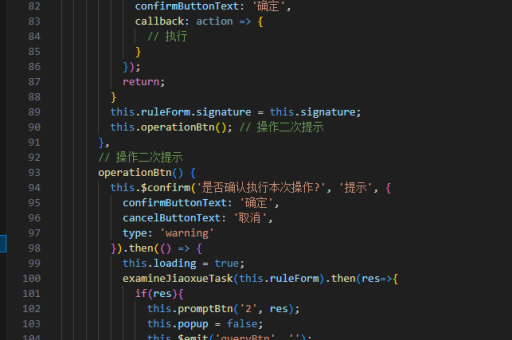
methods: {
  handleTouchStart(e) {
    this.touchStartX = e.touches[0].clientX
  },
  handleTouchEnd(e) {
    this.touchEndX = e.changedTouches[0].clientX
    if (this.touchEndX < this.touchStartX - 50) {
      this.nextImage()
    } else if (this.touchEndX > this.touchStartX + 50) {
      this.prevImage()
    }
  }
}
性能优化
对于大量图片,建议使用懒加载:
<img
  v-for="(img, index) in images"
  :key="index"
  v-lazy="img"
  @click="showImage(img)"
>
需要安装 vue-lazyload:
npm install vue-lazyload




