利用Vue实现
Vue实现方法
安装Vue
通过npm或CDN引入Vue。npm安装命令:
npm install vueCDN引入方式:
<script src="https://cdn.jsdelivr.net/npm/vue@2.6.14/dist/vue.js"></script>创建Vue实例
在HTML中定义挂载点,通过JavaScript创建Vue实例:
<div id="app">
  {{ message }}
</div>
new Vue({
el: '#app',
data: {
message: 'Hello Vue!'
}
})数据绑定
使用双大括号语法或v-bind指令实现数据绑定:
<div v-bind:title="message">
  悬停查看动态提示
</div>
条件渲染
通过v-if和v-show控制元素显示:
<p v-if="seen">现在你看到我了</p>
<p v-show="visible">我始终存在,只是display属性变化</p>
列表渲染
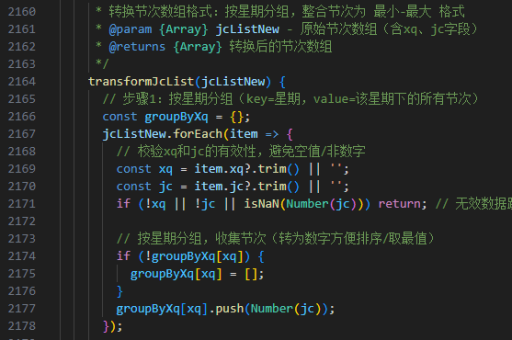
使用v-for指令渲染数组:
<ul>
  <li v-for="item in items" :key="item.id">
    {{ item.text }}
  </li>
</ul>
事件处理
通过v-on指令绑定事件:
<button v-on:click="reverseMessage">反转消息</button>methods: {
reverseMessage: function () {
this.message = this.message.split('').reverse().join('')
}
}表单输入绑定
使用v-model实现双向绑定:
<input v-model="message" placeholder="编辑我">
<p>输入的内容是:{{ message }}</p>
组件开发
创建可复用的组件:

Vue.component('todo-item', {
  props: ['todo'],
  template: '<li>{{ todo.text }}</li>'
})
使用组件:
<ol>
  <todo-item
    v-for="item in groceryList"
    v-bind:todo="item"
    v-bind:key="item.id"
  ></todo-item>
</ol>
生命周期钩子
利用生命周期钩子执行特定逻辑:
new Vue({
  created: function () {
    console.log('实例已创建')
  },
  mounted: function () {
    console.log('实例已挂载')
  }
})
计算属性
使用computed处理复杂逻辑:
computed: {
  reversedMessage: function () {
    return this.message.split('').reverse().join('')
  }
}
样式绑定
动态绑定class和style:
<div v-bind:class="{ active: isActive }"></div>
<div v-bind:style="{ color: activeColor, fontSize: fontSize + 'px' }"></div>