js 加载更多实现
滚动加载实现
滚动加载是一种常见的分页加载方式,通过监听滚动事件触发数据加载。核心逻辑是当用户滚动到接近页面底部时,自动加载下一页数据。
window.addEventListener('scroll', function() {
  const scrollTop = document.documentElement.scrollTop || document.body.scrollTop;
  const windowHeight = window.innerHeight;
  const scrollHeight = document.documentElement.scrollHeight;

  if (scrollTop + windowHeight >= scrollHeight - 100) {
    loadMoreData();
  }
});

function loadMoreData() {
  // 防止重复加载
  if (isLoading) return;

  isLoading = true;
  fetch('/api/data?page=' + currentPage)
    .then(response => response.json())
    .then(data => {
      renderData(data);
      currentPage++;
      isLoading = false;
    });
}
按钮点击加载实现
通过点击"加载更多"按钮手动触发数据加载,适合需要用户主动控制的场景。

document.getElementById('load-more-btn').addEventListener('click', function() {
  fetch('/api/data?page=' + currentPage)
    .then(response => response.json())
    .then(data => {
      renderData(data);
      currentPage++;

      // 如果已是最后一页,隐藏按钮
      if (data.isLastPage) {
        this.style.display = 'none';
      }
    });
});
无限滚动优化
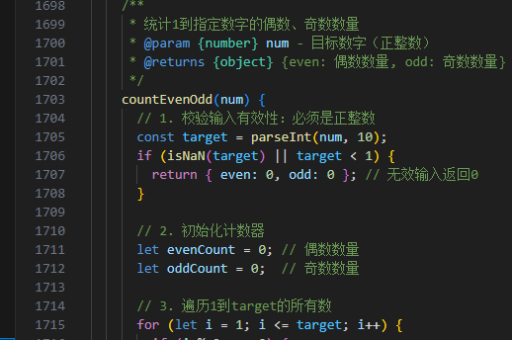
对于性能敏感的无限滚动场景,需要添加防抖和加载状态控制。
let isLoading = false;
let currentPage = 1;

// 防抖函数
function debounce(func, delay) {
  let timer;
  return function() {
    clearTimeout(timer);
    timer = setTimeout(func, delay);
  };
}

const checkScroll = debounce(function() {
  const { scrollTop, clientHeight, scrollHeight } = document.documentElement;

  if (scrollTop + clientHeight >= scrollHeight - 100 && !isLoading) {
    loadMoreData();
  }
}, 200);

window.addEventListener('scroll', checkScroll);
虚拟滚动技术
对于超长列表,虚拟滚动可以大幅提升性能,只渲染可视区域内的元素。
class VirtualScroll {
  constructor(container, itemHeight, renderItem) {
    this.container = container;
    this.itemHeight = itemHeight;
    this.renderItem = renderItem;
    this.data = [];
    this.visibleItems = [];

    container.addEventListener('scroll', this.handleScroll.bind(this));
  }

  setData(data) {
    this.data = data;
    this.render();
  }

  handleScroll() {
    const scrollTop = this.container.scrollTop;
    const startIdx = Math.floor(scrollTop / this.itemHeight);
    const endIdx = Math.min(
      startIdx + Math.ceil(this.container.clientHeight / this.itemHeight),
      this.data.length
    );

    this.renderVisibleItems(startIdx, endIdx);
  }

  renderVisibleItems(start, end) {
    // 实现可视区域渲染逻辑
  }
}
注意事项
实现加载更多功能时需要考虑以下关键点:
- 节流或防抖滚动事件避免频繁触发
- 加载状态管理防止重复请求
- 错误处理机制保证健壮性
- 加载指示器提升用户体验
- 无更多数据时的状态提示
- 列表项key的管理确保渲染效率
根据具体场景选择合适的实现方式,移动端通常使用滚动加载,管理后台可能更适合按钮点击加载。