js 实现验证码
实现验证码的基本思路
验证码通常用于防止自动化脚本提交表单或进行恶意操作。在JavaScript中,可以通过生成随机字符或数字,并将其显示在页面上,同时与用户输入进行比对来实现验证码功能。
生成随机验证码
使用JavaScript生成包含数字和字母的随机字符串作为验证码。可以通过Math.random()方法结合字符集来生成随机字符。
function generateCaptcha() {
    const chars = '0123456789ABCDEFGHIJKLMNOPQRSTUVWXYZabcdefghijklmnopqrstuvwxyz';
    let captcha = '';
    for (let i = 0; i < 6; i++) {
        const randomIndex = Math.floor(Math.random() * chars.length);
        captcha += chars[randomIndex];
    }
    return captcha;
}
显示验证码
将生成的验证码显示在HTML页面上,通常使用Canvas或普通的文本元素来呈现验证码。
<div id="captchaDisplay"></div>function displayCaptcha() {
const captcha = generateCaptcha();
document.getElementById('captchaDisplay').textContent = captcha;
return captcha; // 返回验证码用于后续验证
}验证用户输入
用户提交表单时,需要比对用户输入的验证码与生成的验证码是否一致。
<input type="text" id="userCaptcha" placeholder="输入验证码">
<button onclick="validateCaptcha()">验证</button>
let currentCaptcha = displayCaptcha(); // 初始化验证码
function validateCaptcha() {
const userInput = document.getElementById('userCaptcha').value;
if (userInput === currentCaptcha) {
alert('验证码正确');
} else {
alert('验证码错误,请重新输入');
currentCaptcha = displayCaptcha(); // 刷新验证码
}
}增加验证码的复杂度
为了提高安全性,可以使用Canvas绘制带有干扰线或扭曲效果的验证码。
function drawCaptcha(captcha) {
    const canvas = document.getElementById('captchaCanvas');
    const ctx = canvas.getContext('2d');
    ctx.clearRect(0, 0, canvas.width, canvas.height);

    // 绘制背景色
    ctx.fillStyle = '#f0f0f0';
    ctx.fillRect(0, 0, canvas.width, canvas.height);

    // 绘制验证码文本
    ctx.font = '30px Arial';
    ctx.fillStyle = '#000';
    ctx.fillText(captcha, 10, 30);

    // 绘制干扰线
    ctx.strokeStyle = '#888';
    for (let i = 0; i < 5; i++) {
        ctx.beginPath();
        ctx.moveTo(Math.random() * canvas.width, Math.random() * canvas.height);
        ctx.lineTo(Math.random() * canvas.width, Math.random() * canvas.height);
        ctx.stroke();
    }
}
完整示例
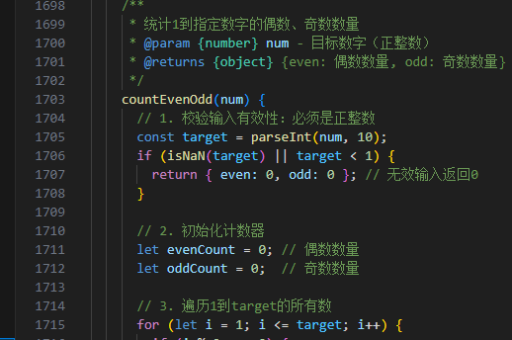
以下是一个完整的HTML和JavaScript实现示例:
<!DOCTYPE html>
<html lang="en">
<head>
    <meta charset="UTF-8">
    <title>验证码示例</title>
    <style>
        #captchaCanvas {
            border: 1px solid #000;
            margin: 10px 0;
        }
    </style>
</head>
<body>
    <canvas id="captchaCanvas" width="200" height="50"></canvas>
    <input type="text" id="userCaptcha" placeholder="输入验证码">
    <button onclick="validateCaptcha()">验证</button>
    <button onclick="refreshCaptcha()">刷新验证码</button>

    <script>
        let currentCaptcha;

        function generateCaptcha() {
            const chars = '0123456789ABCDEFGHIJKLMNOPQRSTUVWXYZabcdefghijklmnopqrstuvwxyz';
            let captcha = '';
            for (let i = 0; i < 6; i++) {
                const randomIndex = Math.floor(Math.random() * chars.length);
                captcha += chars[randomIndex];
            }
            return captcha;
        }

        function drawCaptcha(captcha) {
            const canvas = document.getElementById('captchaCanvas');
            const ctx = canvas.getContext('2d');
            ctx.clearRect(0, 0, canvas.width, canvas.height);

            ctx.fillStyle = '#f0f0f0';
            ctx.fillRect(0, 0, canvas.width, canvas.height);

            ctx.font = '30px Arial';
            ctx.fillStyle = '#000';
            ctx.fillText(captcha, 10, 30);

            ctx.strokeStyle = '#888';
            for (let i = 0; i < 5; i++) {
                ctx.beginPath();
                ctx.moveTo(Math.random() * canvas.width, Math.random() * canvas.height);
                ctx.lineTo(Math.random() * canvas.width, Math.random() * canvas.height);
                ctx.stroke();
            }
        }

        function refreshCaptcha() {
            currentCaptcha = generateCaptcha();
            drawCaptcha(currentCaptcha);
        }

        function validateCaptcha() {
            const userInput = document.getElementById('userCaptcha').value;
            if (userInput === currentCaptcha) {
                alert('验证码正确');
            } else {
                alert('验证码错误,请重新输入');
                refreshCaptcha();
            }
        }

        // 初始化
        refreshCaptcha();
    </script>
</body>
</html>
注意事项
- 前端验证码仅能提供基本防护,无法完全阻止恶意攻击。对于高安全性需求,建议结合后端验证。
- 避免使用过于简单的验证码(如纯数字),容易被破解。
- 可以结合服务器端生成验证码并存储,以提高安全性。