vue 2.0实现小球
Vue 2.0 实现小球动画
在 Vue 2.0 中实现小球动画可以通过结合 CSS 动画和 Vue 的动态绑定特性完成。以下是一个完整的实现方案,包含模板、样式和逻辑代码。
模板部分
<template>
  <div class="ball-container">
    <div
      class="ball"
      :style="ballStyle"
      @click="moveBall"
    ></div>
  </div>
</template>
脚本部分
<script>
export default {
  data() {
    return {
      position: { x: 0, y: 0 },
      colors: ['#FF5252', '#FF4081', '#E040FB', '#7C4DFF', '#536DFE'],
      currentColor: 0
    }
  },
  computed: {
    ballStyle() {
      return {
        transform: `translate(${this.position.x}px, ${this.position.y}px)`,
        backgroundColor: this.colors[this.currentColor]
      }
    }
  },
  methods: {
    moveBall() {
      this.position = {
        x: Math.floor(Math.random() * 300),
        y: Math.floor(Math.random() * 300)
      }
      this.currentColor = (this.currentColor + 1) % this.colors.length
    }
  }
}
</script>
样式部分
<style scoped>
.ball-container {
  position: relative;
  width: 400px;
  height: 400px;
  border: 1px dashed #ccc;
}

.ball {
  width: 50px;
  height: 50px;
  border-radius: 50%;
  background-color: #FF5252;
  transition: transform 0.5s ease, background-color 0.3s ease;
  cursor: pointer;
  position: absolute;
}
</style>
实现原理说明
-
数据驱动:通过 Vue 的响应式数据控制小球位置和颜色变化,
position对象存储当前坐标,colors数组定义颜色循环。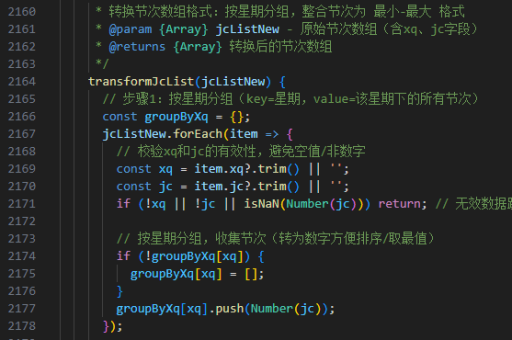
-
计算属性:
ballStyle动态生成内联样式,将数据映射为 CSS 的transform和background-color属性。
-
交互逻辑:点击事件触发
moveBall方法,随机生成新坐标并切换颜色,Vue 自动更新 DOM。 -
动画效果:CSS 的
transition属性实现平滑移动和颜色过渡效果,ease函数使动画更自然。
扩展功能
- 添加拖拽功能:可通过
@mousedown、@mousemove和@mouseup事件实现手动拖拽 - 多球渲染:将
data中的position改为数组,使用v-for渲染多个小球 - 物理引擎:引入第三方库(如 Matter.js)实现碰撞检测和重力效果
// 多球示例
data() {
  return {
    balls: [
      { id: 1, x: 0, y: 0, color: 0 },
      { id: 2, x: 100, y: 100, color: 1 }
    ]
  }
}
注意事项
- 性能优化:大量小球动画需使用
requestAnimationFrame替代 CSS 过渡 - 移动端适配:添加 touch 事件支持移动设备操作
- 浏览器兼容性:CSS 的
transform需加前缀(可通过 PostCSS 自动处理)