vue组件如何实现
Vue 组件的实现方式
Vue 组件是 Vue.js 的核心概念之一,用于构建可复用的 UI 模块。以下是实现 Vue 组件的几种常见方式。
单文件组件 (SFC)
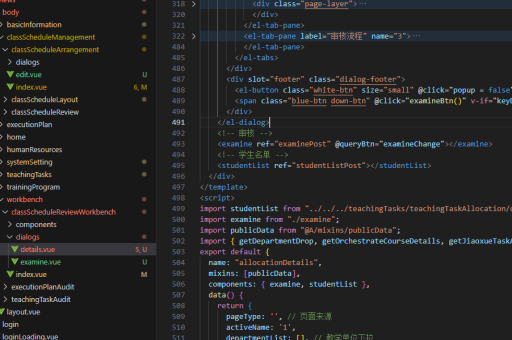
单文件组件是 Vue 中最常用的组件形式,将模板、脚本和样式封装在一个 .vue 文件中。
<template>
  <div>
    <h1>{{ title }}</h1>
    <button @click="handleClick">Click me</button>
  </div>
</template>

<script>
export default {
  data() {
    return {
      title: 'Hello Vue!'
    }
  },
  methods: {
    handleClick() {
      alert('Button clicked!')
    }
  }
}
</script>

<style scoped>
h1 {
  color: #42b983;
}
</style>
全局组件注册
通过 Vue.component 方法全局注册组件,可以在任何地方使用。
Vue.component('my-component', {
  template: '<div>A custom component!</div>'
})

new Vue({
  el: '#app'
})
局部组件注册
在 Vue 实例的 components 选项中局部注册组件,仅在该实例范围内可用。
const ChildComponent = {
  template: '<div>Child Component</div>'
}

new Vue({
  el: '#app',
  components: {
    'child-component': ChildComponent
  }
})
动态组件
使用 <component> 标签和 is 属性实现动态组件切换。

<template>
  <div>
    <button @click="currentComponent = 'comp-a'">Show A</button>
    <button @click="currentComponent = 'comp-b'">Show B</button>
    <component :is="currentComponent"></component>
  </div>
</template>

<script>
import CompA from './CompA.vue'
import CompB from './CompB.vue'

export default {
  components: {
    CompA,
    CompB
  },
  data() {
    return {
      currentComponent: 'comp-a'
    }
  }
}
</script>
函数式组件
函数式组件是无状态、无实例的组件,适合纯展示型组件。
Vue.component('functional-button', {
  functional: true,
  render(createElement, context) {
    return createElement('button', context.data, context.children)
  }
})
组件通信
父子组件通过 props 和 events 通信。
<!-- Parent.vue -->
<template>
  <child :message="parentMsg" @update="parentMsg = $event"></child>
</template>

<script>
import Child from './Child.vue'

export default {
  components: { Child },
  data() {
    return {
      parentMsg: 'Message from parent'
    }
  }
}
</script>

<!-- Child.vue -->
<template>
  <div>
    <p>{{ message }}</p>
    <button @click="$emit('update', 'New message')">Update</button>
  </div>
</template>

<script>
export default {
  props: ['message']
}
</script>
插槽 (Slots)
使用插槽实现内容分发。
<!-- Parent.vue -->
<template>
  <child>
    <p>This content will be placed in the slot</p>
  </child>
</template>

<!-- Child.vue -->
<template>
  <div>
    <h2>Child Component</h2>
    <slot></slot>
  </div>
</template>
作用域插槽
作用域插槽允许子组件向插槽传递数据。
<!-- Parent.vue -->
<template>
  <child>
    <template v-slot:default="slotProps">
      <p>{{ slotProps.user.name }}</p>
    </template>
  </child>
</template>

<!-- Child.vue -->
<template>
  <div>
    <slot :user="user"></slot>
  </div>
</template>

<script>
export default {
  data() {
    return {
      user: {
        name: 'John Doe'
      }
    }
  }
}
</script>
组合式 API (Composition API)
Vue 3 引入的组合式 API 提供更灵活的代码组织方式。
<template>
  <div>
    <p>{{ count }}</p>
    <button @click="increment">Increment</button>
  </div>
</template>

<script>
import { ref } from 'vue'

export default {
  setup() {
    const count = ref(0)

    const increment = () => {
      count.value++
    }

    return {
      count,
      increment
    }
  }
}
</script>
组件生命周期
Vue 组件有多个生命周期钩子,可以在不同阶段执行代码。
export default {
  beforeCreate() {
    // 实例初始化之后,数据观测之前
  },
  created() {
    // 实例创建完成后调用
  },
  beforeMount() {
    // 挂载开始之前调用
  },
  mounted() {
    // 挂载完成后调用
  },
  beforeUpdate() {
    // 数据更新时调用,发生在虚拟 DOM 打补丁之前
  },
  updated() {
    // 数据更改导致的虚拟 DOM 重新渲染和打补丁后调用
  },
  beforeDestroy() {
    // 实例销毁之前调用
  },
  destroyed() {
    // 实例销毁后调用
  }
}
异步组件
通过动态导入实现异步加载组件。
const AsyncComponent = () => ({
  component: import('./MyComponent.vue'),
  loading: LoadingComponent,
  error: ErrorComponent,
  delay: 200,
  timeout: 3000
})

export default {
  components: {
    AsyncComponent
  }
}
以上是 Vue 组件的主要实现方式和使用模式,可以根据具体需求选择适合的方法。