
vue联动如何实现
Vue 联动实现方法
数据绑定联动
通过 v-model 或 :value 绑定数据,利用 watch 或 computed 监听数据变化实现联动。例如表单输入框与显示区域联动:
<template>
  <input v-model="inputValue" />
  <p>{{ displayValue }}</p>
</template>

<script>
export default {
  data() {
    return {
      inputValue: ''
    }
  },
  computed: {
    displayValue() {
      return this.inputValue.toUpperCase()
    }
  }
}
</script>
父子组件联动
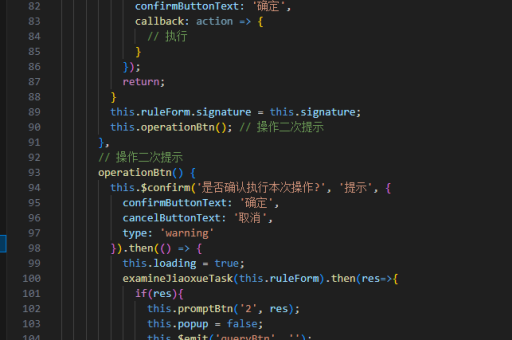
父组件通过 props 传递数据,子组件通过 $emit 触发事件实现双向通信:
<!-- 父组件 -->
<template>
  <ChildComponent :value="parentValue" @update="handleUpdate" />
</template>

<script>
export default {
  data() {
    return {
      parentValue: ''
    }
  },
  methods: {
    handleUpdate(newValue) {
      this.parentValue = newValue
    }
  }
}
</script>

<!-- 子组件 -->
<template>
  <input :value="value" @input="$emit('update', $event.target.value)" />
</template>

<script>
export default {
  props: ['value']
}
</script>
跨组件状态管理
使用 Vuex 或 Pinia 管理共享状态,实现多个组件间的联动:
// store.js (Vuex 示例)
import { createStore } from 'vuex'

export default createStore({
  state: {
    sharedValue: ''
  },
  mutations: {
    updateValue(state, payload) {
      state.sharedValue = payload
    }
  }
})

// 组件A
<template>
  <input :value="$store.state.sharedValue" @input="updateStore" />
</template>

<script>
export default {
  methods: {
    updateStore(e) {
      this.$store.commit('updateValue', e.target.value)
    }
  }
}
</script>

// 组件B
<template>
  <p>{{ $store.state.sharedValue }}</p>
</template>
动态组件联动
通过 component 标签和 is 属性实现组件动态切换:
<template>
  <button @click="currentComponent = 'ComponentA'">显示A</button>
  <button @click="currentComponent = 'ComponentB'">显示B</button>
  <component :is="currentComponent" />
</template>

<script>
export default {
  data() {
    return {
      currentComponent: 'ComponentA'
    }
  },
  components: {
    ComponentA,
    ComponentB
  }
}
</script>
事件总线联动
通过创建 Vue 实例作为事件中心,实现非父子组件通信:
// eventBus.js
import { createApp } from 'vue'
export const eventBus = createApp({})

// 组件A
import { eventBus } from './eventBus'
export default {
  methods: {
    sendMessage() {
      eventBus.config.globalProperties.$emit('message', 'Hello')
    }
  }
}

// 组件B
import { eventBus } from './eventBus'
export default {
  created() {
    eventBus.config.globalProperties.$on('message', (msg) => {
      console.log(msg)
    })
  }
}
表单元素联动
使用 v-model 绑定同一数据源实现表单元素间的联动:
<template>
  <select v-model="selectedOption">
    <option value="A">Option A</option>
    <option value="B">Option B</option>
  </select>

  <input
    v-model="inputValue"
    :disabled="selectedOption !== 'A'"
    :placeholder="selectedOption === 'A' ? 'Enter value' : 'Disabled for Option B'"
  />
</template>

<script>
export default {
  data() {
    return {
      selectedOption: 'A',
      inputValue: ''
    }
  }
}
</script>




