vue商城实现
Vue 商城实现方案
项目初始化
使用 Vue CLI 或 Vite 创建项目,推荐 Vue 3 + TypeScript 组合。安装必要依赖如 vue-router、pinia、axios 和 UI 库(Element Plus/Vant)。
npm create vue@latest vue-mall
cd vue-mall
npm install vue-router pinia axios element-plus
核心模块划分
- 商品展示模块(首页/分类页/详情页)
- 购物车模块(增删改查/结算)
- 用户模块(登录/注册/个人中心)
- 订单模块(创建/查询/支付)
- 后台管理模块(可选)
路由配置示例
// router/index.js
const routes = [
  {
    path: '/',
    component: Home,
    meta: { title: '商城首页' }
  },
  {
    path: '/product/:id',
    component: ProductDetail,
    props: true
  },
  {
    path: '/cart',
    component: ShoppingCart,
    meta: { requiresAuth: true }
  }
]
状态管理设计
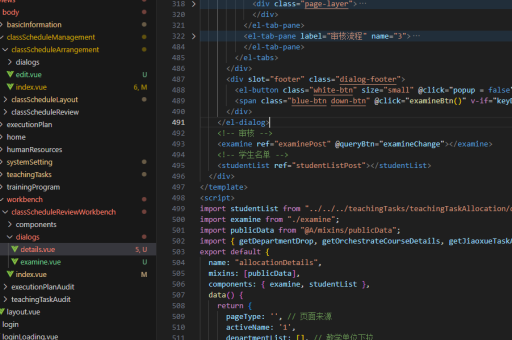
使用 Pinia 管理全局状态,例如购物车数据:
// stores/cart.js
export const useCartStore = defineStore('cart', {
  state: () => ({
    items: [],
    total: 0
  }),
  actions: {
    addItem(product) {
      const existing = this.items.find(item => item.id === product.id)
      existing ? existing.quantity++ : this.items.push({...product, quantity: 1})
      this.calculateTotal()
    }
  }
})
商品展示实现
使用动态组件展示商品列表:
<template>
  <div class="product-grid">
    <ProductCard
      v-for="product in products"
      :key="product.id"
      :product="product"
      @add-to-cart="handleAddToCart"
    />
  </div>
</template>

<script setup>
const { data: products } = await useFetch('/api/products')
const cartStore = useCartStore()

const handleAddToCart = (product) => {
  cartStore.addItem(product)
}
</script>
购物车功能
实现购物车核心逻辑:

<template>
  <div v-if="cartItems.length">
    <CartItem
      v-for="item in cartItems"
      :item="item"
      @update-quantity="updateQuantity"
    />
    <div class="checkout-section">
      总计: {{ totalPrice }}
      <button @click="checkout">结算</button>
    </div>
  </div>
</template>
支付流程集成
对接第三方支付接口:
const handlePayment = async () => {
  const { data: paymentInfo } = await axios.post('/api/create-order', {
    items: cartStore.items,
    total: cartStore.total
  })
  window.location.href = paymentInfo.payUrl
}
性能优化方案
- 使用懒加载路由组件
component: () => import('./views/ProductDetail.vue') - 实现图片懒加载
<img v-lazy="product.image" alt="product"> - 使用虚拟滚动处理长列表
<RecycleScroller
:items="products"
:item-size="300"
>
<template #default="{ item }">
  <ProductCard :product="item"/>
</template>
</RecycleScroller>
部署上线
配置生产环境变量,使用 Docker 或直接部署到服务器:
FROM nginx:alpine
COPY dist /usr/share/nginx/html
COPY nginx.conf /etc/nginx/conf.d/default.conf
关键技术扩展
- 使用 Composition API 组织代码逻辑
- 实现 JWT 认证流程
- 集成 WebSocket 实现实时通知
- 添加 PWA 支持实现离线访问
- 使用 Jenkins/GitHub Actions 实现 CI/CD
以上方案可根据实际需求调整,复杂商城建议采用微前端架构拆分模块,或直接基于开源方案如 vue-storefront 进行二次开发。