css页脚制作
固定定位页脚
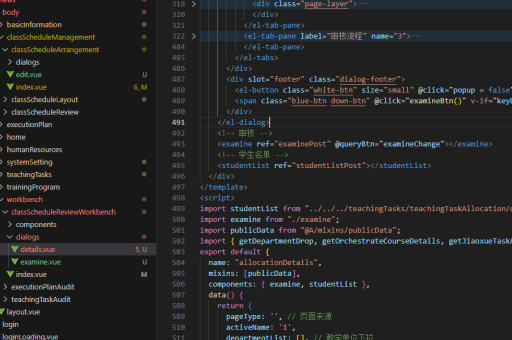
使用position: fixed将页脚固定在页面底部,适用于需要页脚始终可见的场景。关键代码:
footer {
  position: fixed;
  bottom: 0;
  width: 100%;
  background-color: #333;
  color: white;
  padding: 15px 0;
  text-align: center;
}
需确保主体内容有足够的下边距避免遮挡:
body {
  margin-bottom: 60px; /* 等于或大于页脚高度 */
}
弹性布局页脚
利用Flexbox实现动态页脚,适合内容不足时仍能保持在底部的场景。HTML结构需包含包裹容器:

<body>
  <div class="wrapper">
    <main>内容区域</main>
    <footer>页脚内容</footer>
  </div>
</body>
对应CSS:
.wrapper {
  display: flex;
  flex-direction: column;
  min-height: 100vh;
}
main {
  flex: 1;
}
footer {
  background: #222;
  color: #fff;
  padding: 20px;
}
网格布局页脚
使用CSS Grid实现更复杂的布局控制。基础实现方式:

body {
  display: grid;
  grid-template-rows: auto 1fr auto;
  min-height: 100vh;
}
footer {
  grid-row: 3;
  background: linear-gradient(to right, #4b6cb7, #182848);
  color: white;
  padding: 2rem;
}
响应式页脚设计
添加媒体查询适应不同屏幕尺寸:
footer {
  display: grid;
  grid-template-columns: repeat(4, 1fr);
  gap: 20px;
  padding: 40px 5%;
}

@media (max-width: 768px) {
  footer {
    grid-template-columns: 1fr 1fr;
  }
}

@media (max-width: 480px) {
  footer {
    grid-template-columns: 1fr;
  }
}
页脚样式增强
常见美化技巧:
- 添加分割线:
footer { border-top: 1px solid rgba(255,255,255,0.1); box-shadow: 0 -5px 10px rgba(0,0,0,0.1); } - 悬浮动画效果:
.footer-links a:hover { transform: translateY(-3px); color: #ff6b6b; transition: all 0.3s ease; } - 社交图标样式:
.social-icons {
display: flex;
gap: 15px;
}
.social-icons a {
width: 40px;
height: 40px;
border-radius: 50%;
background: rgba(255,255,255,0.1);
display: grid;
place-items: center;
}